


Naara Chat: Message and Call Anyone on Naara, Without Giving Out Your Number
October 1, 2026 · Supreme Admin
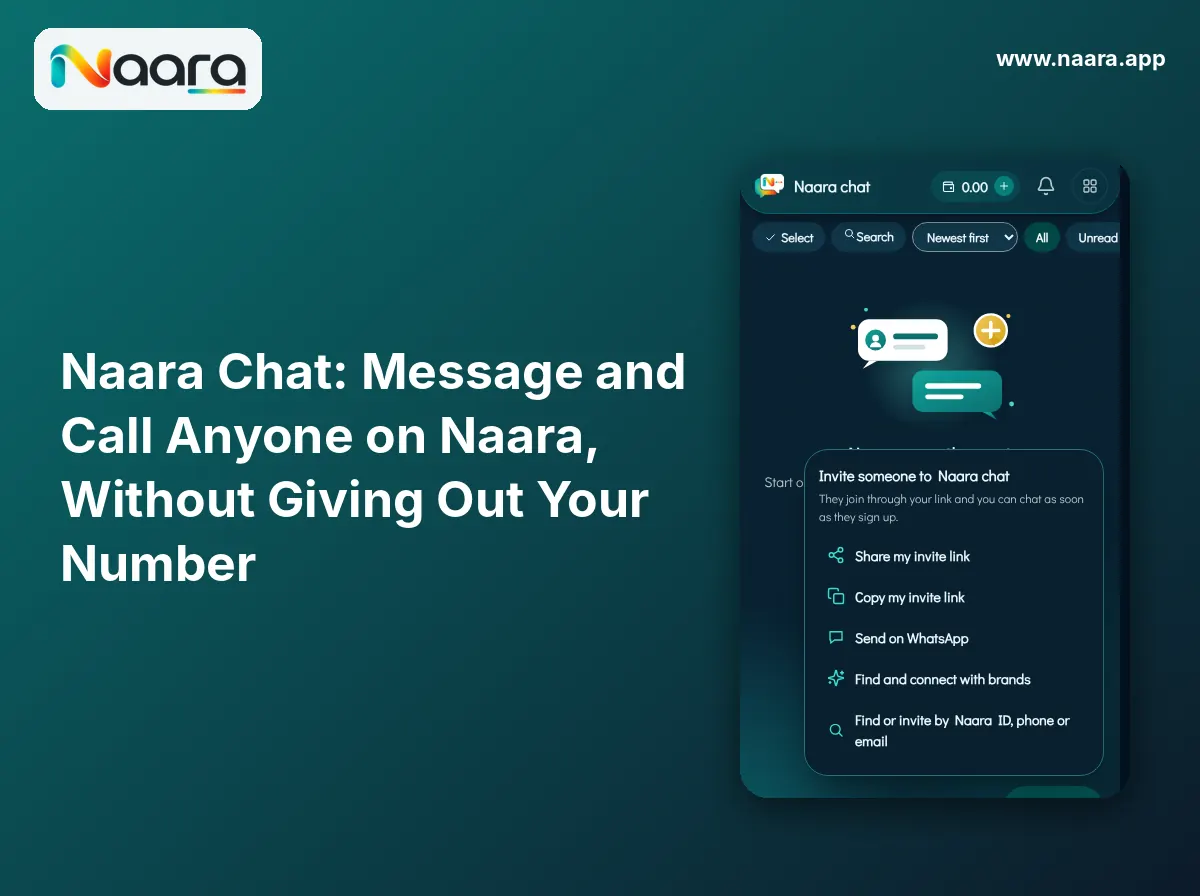
Naara Chat lets you message and call people by their Naara ID. Here is what it does, how it is paid for, and the small details that make it feel like home.
Most of us have given a stranger our phone number and regretted it. Naara Chat starts from a different idea: you share a **Naara ID** instead, and the conversation happens inside the app you already use for data, numbers and your wallet.
What you can do in Naara Chat
You can send text, photos, videos, voice notes and files. You can start a poll, share a contact or share a location. Every chat has a profile and privacy page behind the person's name, and you can call them from the same screen.
If you have ever fumbled a message, there is an **undo** window after you press send. The send button also has a menu for the moments you need it: send silently, send so it disappears, or schedule it for later.
Finding and adding people
Open **People** and type a Naara ID, a username, a phone number or an email. If they are on Naara you can message them right away. If they are not, you get an invite link you can share on WhatsApp or copy, and they join through it. When someone follows you, they appear under requests so you can follow back.
Who pays for messages and calls
Chat is free to read and write between members. Calls and some media use NaaraCredits or your wallet, and you choose which one funds them. That choice is yours, not ours, so you never get a surprise from a balance you forgot about.
Keeping it tidy
Pin the chats that matter, star messages you want to find again, mute the noisy ones and archive the finished ones. You can select several chats at once and do all of it in one go. If someone bothers you, **block and report** is one tap away.
Gestures you can change
Swipe to reply, double-tap to react, press and hold for more. Open **Chat gestures** to choose what each one does, change how long a press takes, or switch gestures off entirely. There is a sample message on that page so you can try before you commit.
A first-time tour
If this is your first time, start the guided tour from the help hub. It points at the real buttons on your screen, one at a time, and you can replay it whenever you like.
Try this today
1. Open Naara Chat and tap **Invite**. 2. Share your link with one person you actually talk to. 3. When they join, send a voice note. It is the fastest way to feel the difference.
Questions people ask
**Is Naara Chat a replacement for WhatsApp?** It does not have to be. Many people keep both: WhatsApp for the people who already live there, Naara Chat for the people and brands you meet through Naara, where you do not want to hand over a phone number.
**Can brands message me first?** Only within the rules you set. Brands cannot flood you; you can restrict who may message you in privacy settings, and you can block or report anyone.
**What happens if I run out of credits?** Messaging between members keeps working. Calls and credit-funded media wait until you top up or switch the funding source to your wallet.
Keep reading
-
 Naara Chat & Community
Naara Chat Tips: Gestures, Status Updates and Other Things You Might Have Missed
A quick tour of the small features that make Naara Chat faster: swipe to reply, status updates with mentions,...
2 min read
-
 Naara Chat & Community
Voice and Video Calls on Naara: What Makes a Call Connect (and Why TURN Matters)
Calls inside Naara are peer to peer when they can be and relayed when they must be. Here is what that means fo...
2 min read
-
 Naara Chat & Community
Connect With Brands in One Tap: The Brands Tab in Naara Chat
The Brands tab lets you find the music, food and travel brands you like, connect, message them and earn NaaraC...
2 min read
-
 Naara Pro & Business
Broadcast Messages Done Right: Consent, STOP and What Channels Allow
A broadcast can build loyalty or burn your reputation. Here is how Respond handles consent, opt-outs and the r...
2 min read
-
 Money, Wallet & Pricing
Wallet Top-Ups and Gift Cards on Naara: Paying, Withdrawing and Staying in Control
One wallet pays for everything. Here is how to top up, which payment methods you can expect, how to withdraw e...
2 min read
-
 NaaraCredits & Loyalty
Earn NaaraCredits by Following Brands: How the Rewards Hunt Works
Follow a brand's real social pages, earn credits you can spend on chat and calls, and know exactly how it is c...
2 min read
Keep reading
-
Naara Chat & Community
Naara Chat Tips: Gestures, Status Updates and Other Things You Might Have Missed
A quick tour of the small features that make Naara Chat faster: swipe to reply, status updates with mentions,...
2 min read
-
Naara Chat & Community
Voice and Video Calls on Naara: What Makes a Call Connect (and Why TURN Matters)
Calls inside Naara are peer to peer when they can be and relayed when they must be. Here is what that means fo...
2 min read
-
Naara Chat & Community
Connect With Brands in One Tap: The Brands Tab in Naara Chat
The Brands tab lets you find the music, food and travel brands you like, connect, message them and earn NaaraC...
2 min read
-
Naara Pro & Business
Broadcast Messages Done Right: Consent, STOP and What Channels Allow
A broadcast can build loyalty or burn your reputation. Here is how Respond handles consent, opt-outs and the r...
2 min read
-
Money, Wallet & Pricing
Wallet Top-Ups and Gift Cards on Naara: Paying, Withdrawing and Staying in Control
One wallet pays for everything. Here is how to top up, which payment methods you can expect, how to withdraw e...
2 min read
-
NaaraCredits & Loyalty
Earn NaaraCredits by Following Brands: How the Rewards Hunt Works
Follow a brand's real social pages, earn credits you can spend on chat and calls, and know exactly how it is c...
2 min read