Free download

Get the NaaraSim app

Stay connected on the go — your data plans, numbers and wallet in one native app.

Android · direct install · Version 1.3.3

  • Every file checked with SHA-256
  • 190+ countries, one app
  • Same account as the website
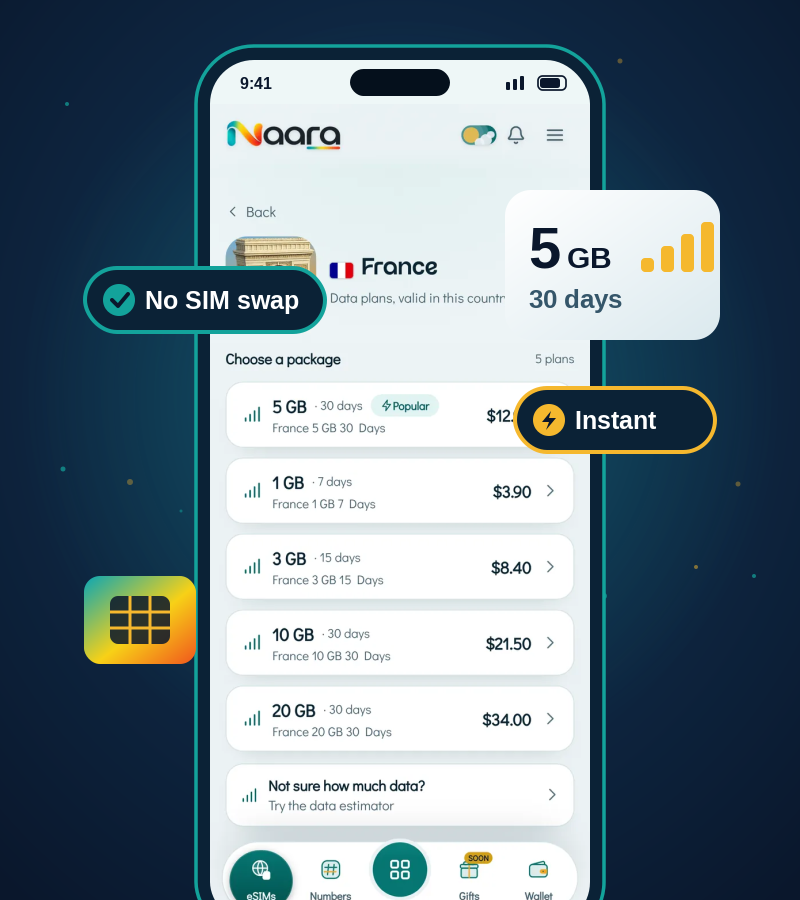
The Naara app showing a data plan

Choose your device

Pick the one you are on now. You can add the others any time.

Android

Install straight from this page, or get it from Google Play. No store approval needed to sideload.

Download APK

Direct install · signed build

  1. 1Download the app with the button above, or get it from Google Play.
  2. 2If Android asks, allow your browser to install apps from this source. It is a one-time switch.
  3. 3Open the file and tap Install. Naara opens ready to sign in.

iPhone & iPad

Naara on your iPhone or iPad, from the App Store.

The iOS app will be available on the App Store soon.

  1. 1Open the App Store on your iPhone or iPad.
  2. 2Search for NaaraSim or use the App Store button on this page.
  3. 3Tap Get, then open Naara and sign in.

Windows

A normal Windows installer. Naara opens in its own window and sits in your taskbar.

Coming soon.

  1. 1Download the file for Windows.
  2. 2Open it. If Windows says it protected your PC, choose More info, then Run anyway. That is normal for a new publisher.
  3. 3Naara opens in its own window and can sit in your taskbar.

macOS

Drag Naara into Applications. Apple silicon and Intel Macs each have their own file.

Coming soon.

  1. 1Download the file that matches your Mac: Apple silicon for M1 and later, Intel for older Macs.
  2. 2Open it and drag Naara into Applications.
  3. 3The first time, right-click Naara and choose Open. After that it opens like any app.

Linux

An AppImage that needs no install, or a .deb package for Ubuntu and Debian.

Coming soon.

  1. 1Download the AppImage, or the .deb package if you use Ubuntu or Debian.
  2. 2AppImage: right-click, Properties, allow executing, then double-click. Package: run sudo apt install ./the-file.deb.
  3. 3Naara appears in your app menu.

Chrome extension

Pin Naara to your toolbar and open it in its own window in one click.

  1. 1Download the extension and unzip it.
  2. 2Open chrome://extensions, switch on Developer mode, choose Load unpacked and pick the folder.
  3. 3Pin Naara to your toolbar. One click opens it in its own window.
Verify this download

Extension SHA-256

593549b6cea9d2aecf3f3135191e66605261b150f1d609ce1b17669ab2b573f7

Install in three steps

  1. 1

    Download the app with the button above, or get it from Google Play.

  2. 2

    If Android asks, allow your browser to install apps from this source. It is a one-time switch.

  3. 3

    Open the file and tap Install. Naara opens ready to sign in.

  1. 1

    Open the App Store on your iPhone or iPad.

  2. 2

    Search for NaaraSim or use the App Store button on this page.

  3. 3

    Tap Get, then open Naara and sign in.

  1. 1

    Download the file for Windows.

  2. 2

    Open it. If Windows says it protected your PC, choose More info, then Run anyway. That is normal for a new publisher.

  3. 3

    Naara opens in its own window and can sit in your taskbar.

  1. 1

    Download the file that matches your Mac: Apple silicon for M1 and later, Intel for older Macs.

  2. 2

    Open it and drag Naara into Applications.

  3. 3

    The first time, right-click Naara and choose Open. After that it opens like any app.

  1. 1

    Download the AppImage, or the .deb package if you use Ubuntu or Debian.

  2. 2

    AppImage: right-click, Properties, allow executing, then double-click. Package: run sudo apt install ./the-file.deb.

  3. 3

    Naara appears in your app menu.

  1. 1

    Download the extension and unzip it.

  2. 2

    Open chrome://extensions, switch on Developer mode, choose Load unpacked and pick the folder.

  3. 3

    Pin Naara to your toolbar. One click opens it in its own window.

Why people keep the app

Alerts that arrive

Calls, messages and order updates, even when the app is closed.

Calls and numbers

Your numbers ring in the app, with the microphone and camera ready.

One wallet

Top up once. Pay for eSIMs, numbers and calls from the same balance.

eSIMs in a tap

Scan or tap to install a plan before you land.

Check your download

Every file has a SHA-256 fingerprint (open Verify this download on its card). After downloading, compare it with your own:

Windows

certutil -hashfile Naara-file.zip SHA256

macOS

shasum -a 256 Naara-file.zip

Linux

sha256sum Naara-file.zip

Questions

Is it free?+

Yes. Downloading and creating an account cost nothing. You pay only for the eSIM plans, numbers and calls you choose.

Is it the same account as the website?+

Yes. Sign in with the account you already use. Your wallet, eSIMs and numbers are all there.

Why does my computer show a warning?+

New apps from a new publisher get an extra check from Windows and macOS. Follow the install steps above and compare the SHA-256 below if you want to be sure the file is untouched.

Do I need the app to use Naara?+

No. Everything also works at naara.app in your browser. The apps add alerts, quicker sign-in and a window of their own.

Scan to open this download page

Scan to open this page on your phone

From the Naara blog

All posts
Naara Pro & Business Broadcast Messages Done Right: Consent, STOP and What Channels Allow A broadcast can build loyalty or burn your reputation. Here is how Respond handles consent, opt-outs and the rules that differ between channels. Oct 16, 2026 Money, Wallet & Pricing Wallet Top-Ups and Gift Cards on Naara: Paying, Withdrawing and Staying in Control One wallet pays for everything. Here is how to top up, which payment methods you can expect, how to withdraw earnings and how gift cards fit in. Oct 15, 2026 Naara Chat & Community Naara Chat Tips: Gestures, Status Updates and Other Things You Might Have Missed A quick tour of the small features that make Naara Chat faster: swipe to reply, status updates with mentions, scheduled messages and more. Oct 14, 2026 NaaraCredits & Loyalty Earn NaaraCredits by Following Brands: How the Rewards Hunt Works Follow a brand's real social pages, earn credits you can spend on chat and calls, and know exactly how it is checked. Oct 13, 2026 Naara Chat & Community Voice and Video Calls on Naara: What Makes a Call Connect (and Why TURN Matters) Calls inside Naara are peer to peer when they can be and relayed when they must be. Here is what that means for call quality and what to check if a call will not connect. Oct 12, 2026 Developers & Integrations Build on Naara: API Keys, Signed Webhooks and Testing Safely How to connect your own tools to Naara: create a key, call the API, receive signed webhooks and verify them properly. Oct 11, 2026 Developers & Integrations Sell eSIMs on Your Own Website With Naara Widgets and the WordPress Plugin Embed a Naara catalogue on your site, let visitors check out on a hosted page, and track every order, with or without writing code. Oct 10, 2026 Naara Pro & Business Launch Your Own Connectivity Brand: How Naara White Label Works White Label lets an agency or entrepreneur run the Naara platform under its own name. Here is the path from landing page to your own live install. Oct 9, 2026 Travel Handbooks The Naara Travel Handbook Store: Long-Form Guides for People Who Move Across Borders Short blog posts cannot cover a visa, a degree or a first lease. The Handbook Store has book-length guides, with a reader that can read aloud. Oct 8, 2026







