


From empty hosting to a live website. Every step, with a picture.
You never need to ask anyone. Follow the journey in order, or jump to the one job you came for. Every screenshot is a real screen, taken from the real software.
The journey, in order
- Choose your hosting10 minutes
What your website needs from a host, how to pick one, and the settings to check before you install anything.
- WordPress basics10 minutes
Install WordPress, sign in, and learn the five menu items you will use for everything else.
- See every template live5 minutes
Open any of the 40 industry templates inside Naara, click through its pages, and try phone, tablet and dark mode before you install.
- Get your files from Naara3 minutes
Where to download the theme and plugins, how to make your connection code, and what to do if a button is locked.
- Install the Prestige theme5 minutes
Upload the theme, activate it, and meet the Welcome screen that guides you through setup.
- Add Elementor (optional)5 minutes
Install the free Elementor page builder so every page Prestige creates can be edited visually.
- Set up Prestige15 minutes
Choose your industry, add your details, switch on the features you need, and create your pages and menu in one screen.
- Menu and header10 minutes
Build dropdown menus, add descriptions and a mega panel, change the style, and use the phone menu.
- Edit pages with Elementor10 minutes
Change any word, picture or colour visually, and use the Naara menu, logo and header-button widgets.
- Theme Builder15 minutes
Build a mega menu, a mega footer, a header, popups and whole page layouts from designed starting points, then edit every word and picture.
- Edit pages with the block editor10 minutes
Use WordPress's own editor, with the Naara menu and header-buttons blocks and ready-made industry patterns.
- Naara Motion10 minutes
Add cinematic scroll animation, smooth scrolling, a custom cursor, a preloader and page transitions, with controls built into Elementor and the block editor.
Start here
 Start hereThe whole journey on one page, in order, with the time each step takes and where to go next.5 minutes →
 Choose your hostingWhat your website needs from a host, how to pick one, and the settings to check before you install anything.10 minutes →
 WordPress basicsInstall WordPress, sign in, and learn the five menu items you will use for everything else.10 minutes →
 See every template liveOpen any of the 40 industry templates inside Naara, click through its pages, and try phone, tablet and dark mode before you install.5 minutes →
 Get your files from NaaraWhere to download the theme and plugins, how to make your connection code, and what to do if a button is locked.3 minutes →
Your website
 Install the Prestige themeUpload the theme, activate it, and meet the Welcome screen that guides you through setup.5 minutes →
Add Elementor (optional)Install the free Elementor page builder so every page Prestige creates can be edited visually.5 minutes →
Set up PrestigeChoose your industry, add your details, switch on the features you need, and create your pages and menu in one screen.15 minutes →
Menu and headerBuild dropdown menus, add descriptions and a mega panel, change the style, and use the phone menu.10 minutes →
Edit pages with ElementorChange any word, picture or colour visually, and use the Naara menu, logo and header-button widgets.10 minutes →
Theme BuilderBuild a mega menu, a mega footer, a header, popups and whole page layouts from designed starting points, then edit every word and picture.15 minutes →
Edit pages with the block editorUse WordPress's own editor, with the Naara menu and header-buttons blocks and ready-made industry patterns.10 minutes →
Naara MotionAdd cinematic scroll animation, smooth scrolling, a custom cursor, a preloader and page transitions, with controls built into Elementor and the block editor.10 minutes →
Theme OptionsGlobal controls for text size, content width, blog layout, the 404 page, speed, extra code and moving your settings to another site.8 minutes →
Industry KitPick your industry and build the home page, mega menu, header, footer and welcome popup in one click, then install the plugins that industry needs.10 minutes →
Business Suite and plugins
Install and connect Naara BusinessUpload the plugin, make your connection code in Naara, paste it into WordPress, and see Connected.10 minutes →
 Bookings and calendarAdd services, team members and offers, put the booking form on a page, and manage bookings.15 minutes →
 Website chatPut a chat bubble on every page of your site. Messages land in your Naara inbox next to WhatsApp, Instagram, Telegram and SMS.10 minutes →
 Naara Commerce for WooCommerceAdd the delivery bar, cross-sell, bundles, order bump and come-back coupons to a WooCommerce shop.15 minutes →
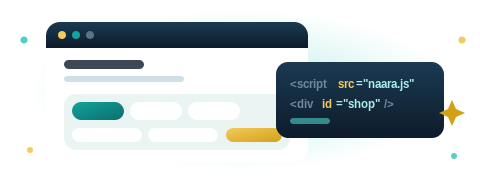 Naara WidgetsSell eSIM data, verification numbers and gift cards on any page, on WordPress or any website.10 minutes →
 Updates and your licenceHow updates arrive, what a plan unlocks, and how your colour follows you across every Naara plugin.5 minutes →
Stores and other systems
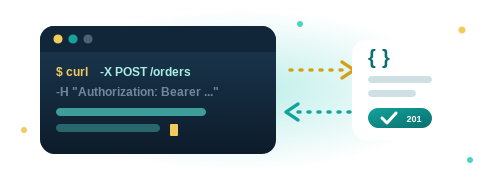 Shopify, Drupal, Joomla, PrestaShop, OpenCart and any website
The Naara platform on your hosting
Install the Naara platform on your own hostingFor white-label owners. Upload the platform to cPanel or a VPS, run the installer, and sign in. No coding.45 minutes →
 Cron and queueThe one cron line every host needs, what runs from it, and how to prove it works on cPanel, a VPS and Cloudways.10 minutes →
 Activate your white-label licenceEnter your licence key, see what unlocks, and keep your install healthy.10 minutes →
 Troubleshooting








