



Naara Motion
Add cinematic scroll animation, smooth scrolling, a custom cursor, a preloader and page transitions, with controls built into Elementor and the block editor.
Naara Motion is a plugin that animates your site with GSAP, the same engine many premium sites use. It works with any theme and is designed for Prestige. If anything fails to load, your page simply shows normally.
#1. Install and open it
Upload the plugin in Plugins, Add New, Upload Plugin, activate it, then open Naara Motion in the left menu.
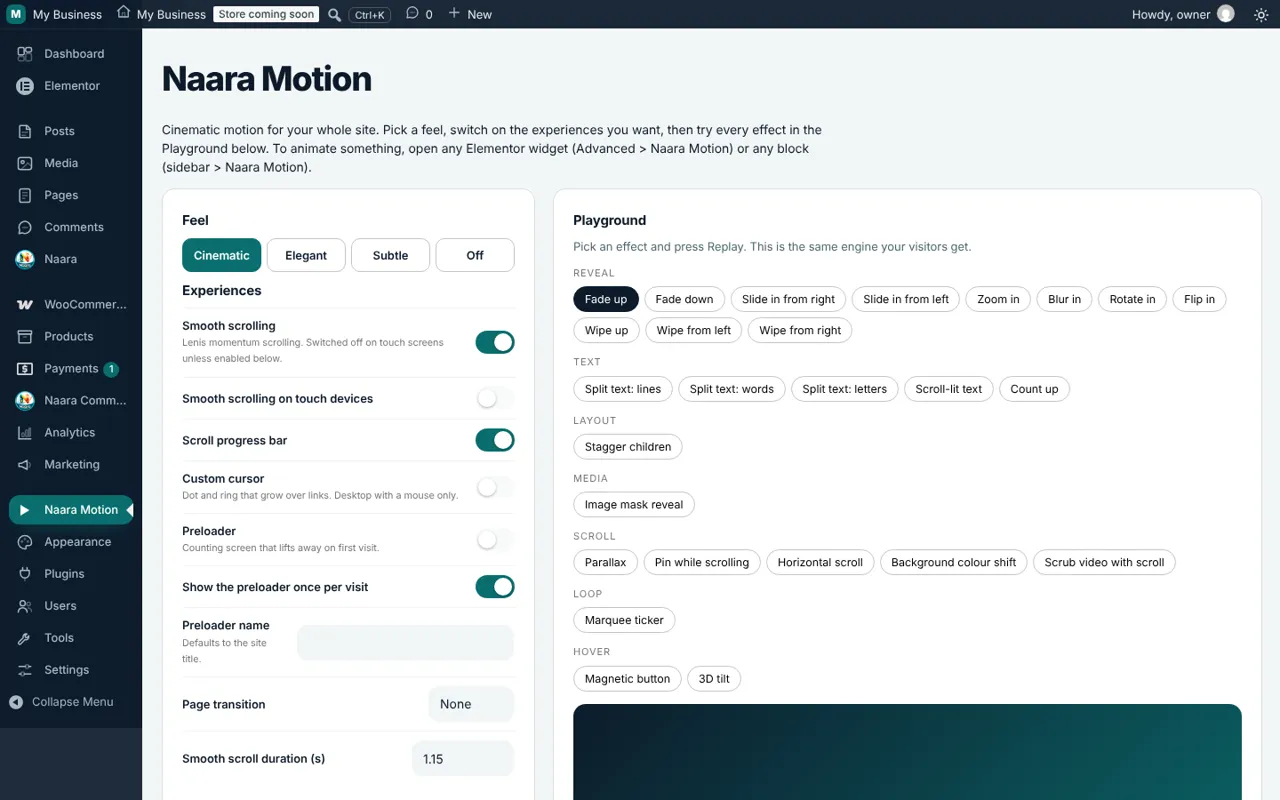
#2. Choose a feel and the experiences
Pick Cinematic, Elegant, Subtle or Off. Then switch on what you want: smooth scrolling, the scroll progress bar, a custom cursor, a preloader, and a page transition (fade, curtain or slide). Press Save motion settings.
#3. Try every effect
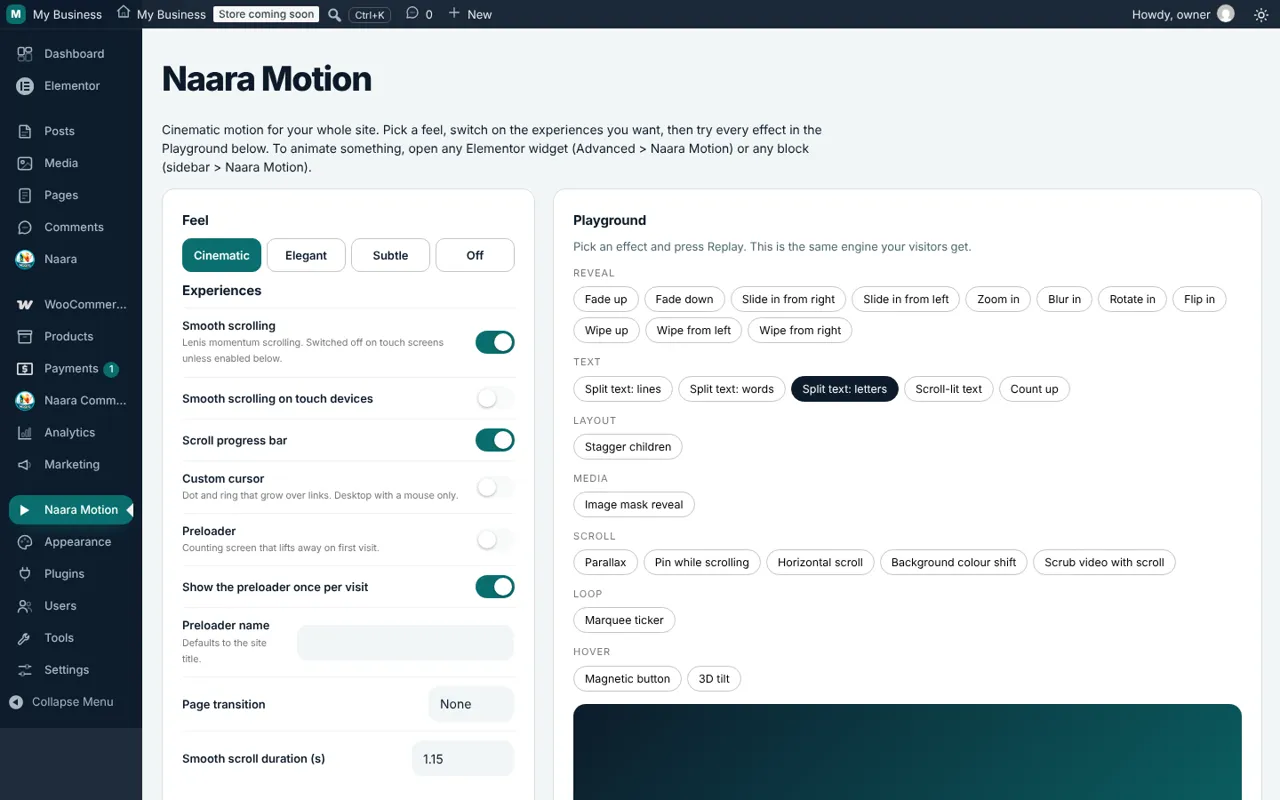
The Playground plays each effect on a sample, so you can see it before using it.
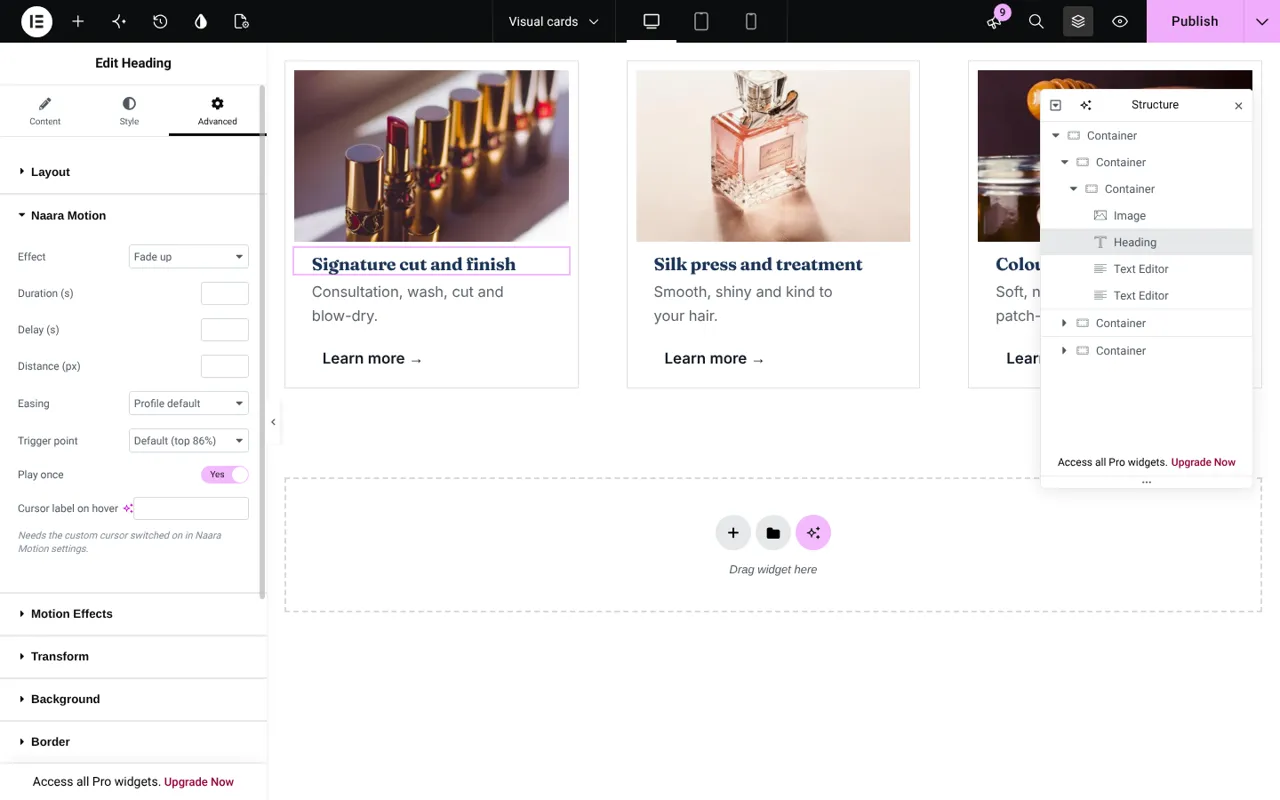
#4. Animate something in Elementor
Click any widget, open Advanced, then Naara Motion. Choose an effect and, if you like, the duration, delay, distance, easing and trigger point.
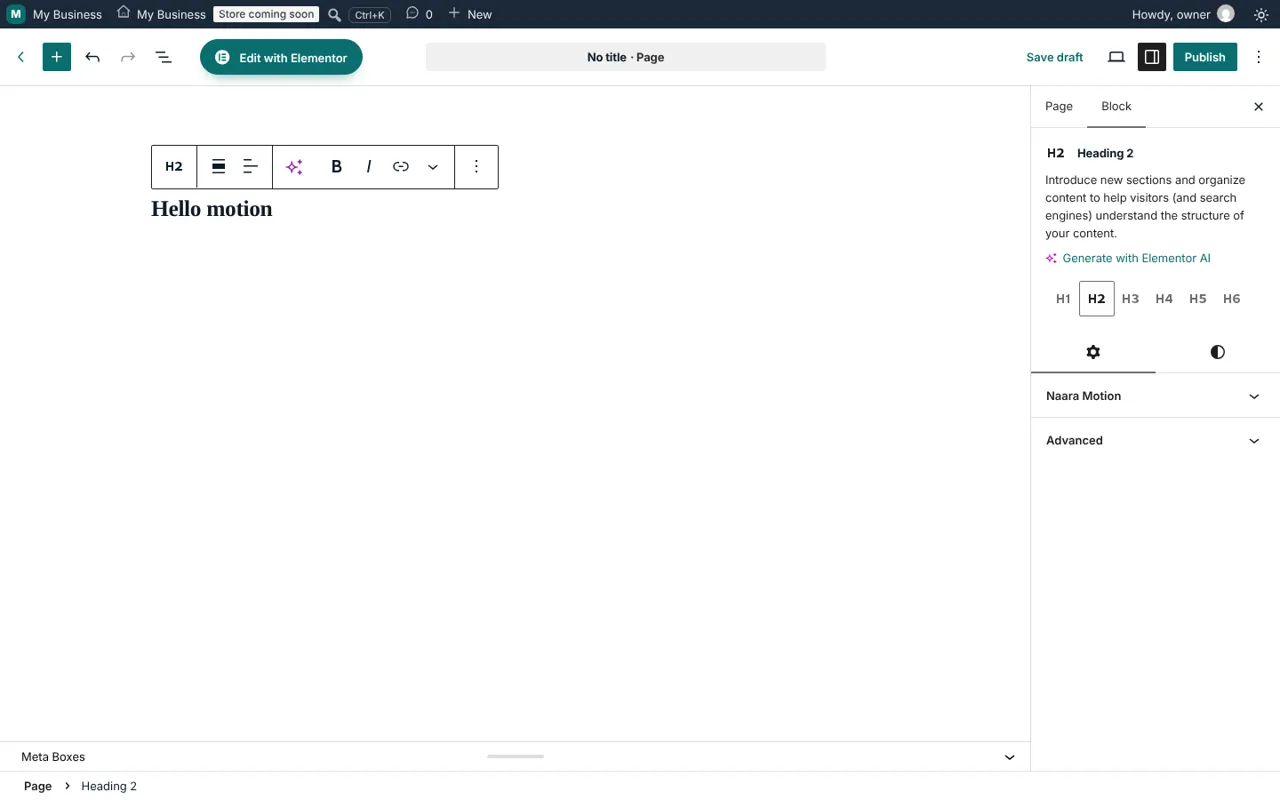
#5. Animate something in the block editor
Select any block. In the right sidebar open Naara Motion.
#What it can do
Fade and slide reveals, blur and zoom, wipes, split text by line, word or letter, scroll-lit text, counters, stagger, image mask reveal, parallax, pinned sections, horizontal scroll, background colour shift, scroll-scrubbed video, marquee, magnetic buttons and 3D tilt.
#Good to know
- People who ask their device for reduced motion see a normal page with no animation.
- The animation libraries are bundled inside the plugin. Nothing is loaded from another website.
- GSAP is free to use on your own websites. Do not resell the plugin as a visual animation builder on its own; read
assets/vendor/LICENSES.txt.








