
Theme Options
Global controls for text size, content width, blog layout, the 404 page, speed, extra code and moving your settings to another site.
8 minutes BeginnerYour website
Colours, fonts and the look of each industry are under Naara Prestige. Everything else a complete theme needs is in Appearance, Theme Options.
#1. Pick a tab
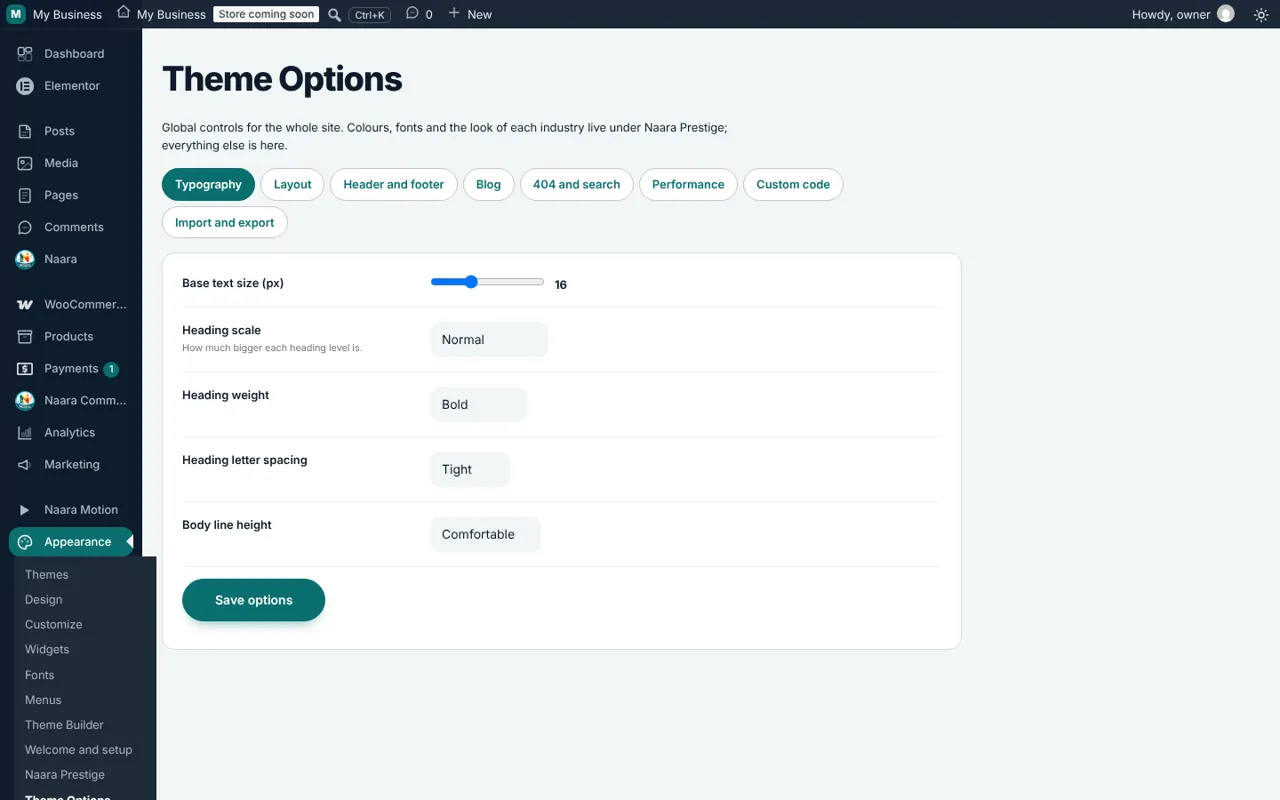 Theme Options. Typography, Layout, Header and footer, Blog, 404 and search, Performance, Custom code, Import and export.
Change a setting and press Save options. Each tab saves on its own.
#2. Custom code
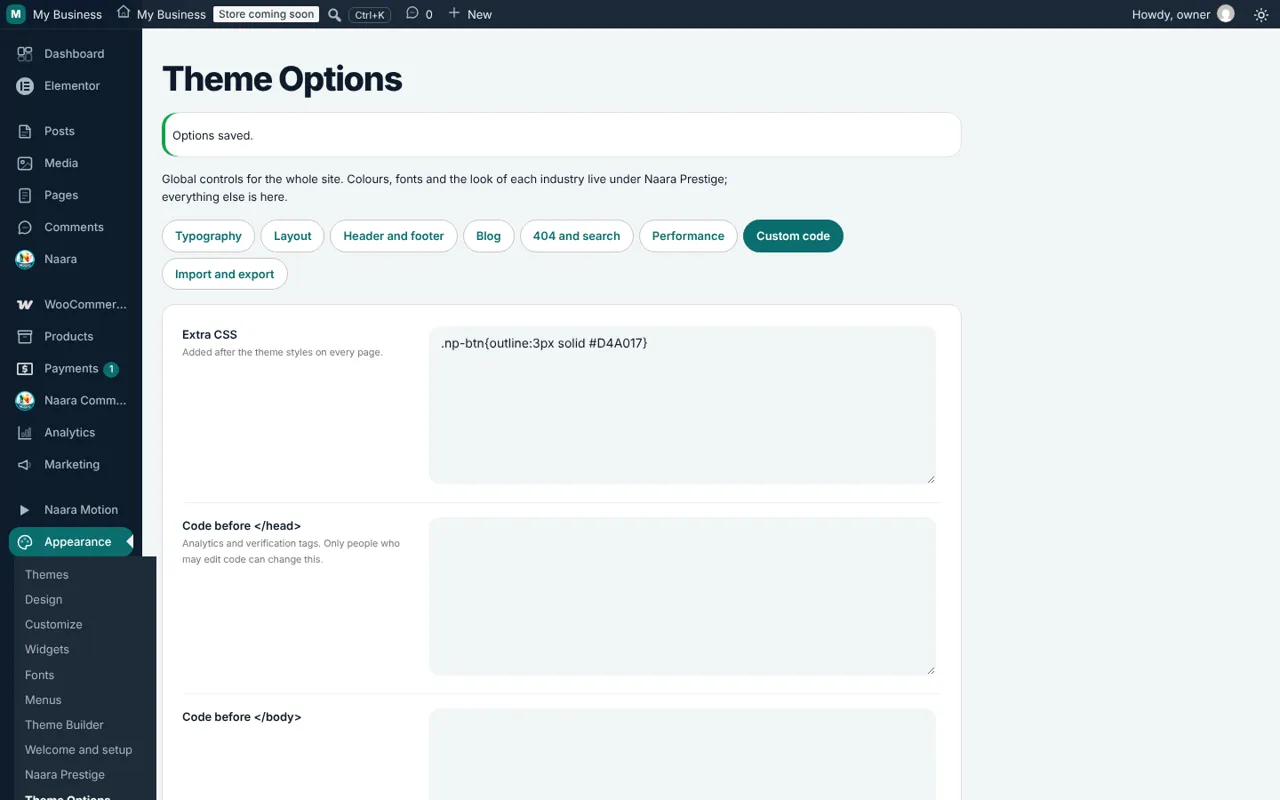 Custom code. Extra CSS, and tags for the head and the end of the page.
Only people allowed to edit code can change the head and footer boxes.
#3. Move your settings to another site
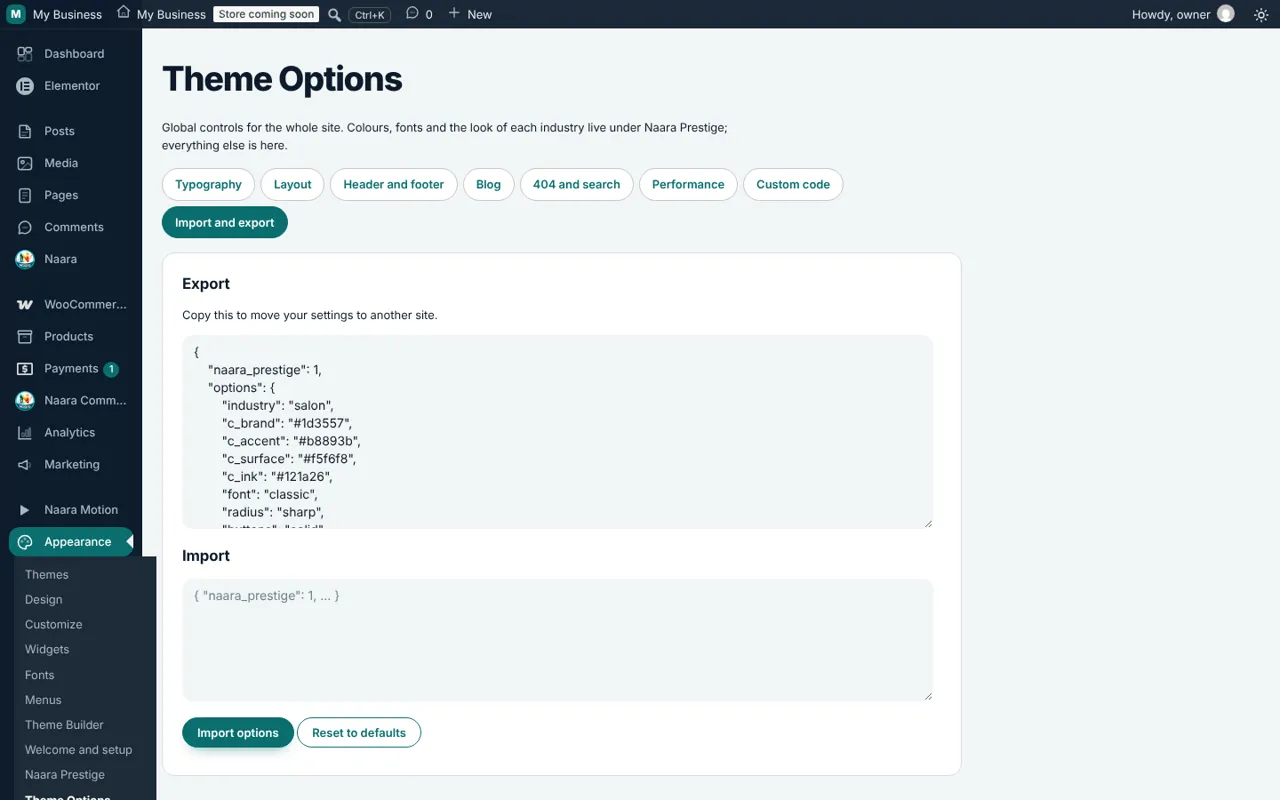 Import and export. Copy the export, paste it on the other site.
Reset to defaults puts every option on this page back to how it came.
Stuck? Open the Help Center from your Naara account and start a chat. Tell us the guide name and the step number.
Help Center










