



Add Elementor (optional)
Install the free Elementor page builder so every page Prestige creates can be edited visually.
Prestige works with WordPress's own block editor out of the box. If you prefer to drag and drop, add Elementor. Do this before you run the setup in Set up Prestige: when Elementor is active, Prestige builds every page as an Elementor page so you can click any word, picture or colour and change it.
#1. Search for Elementor
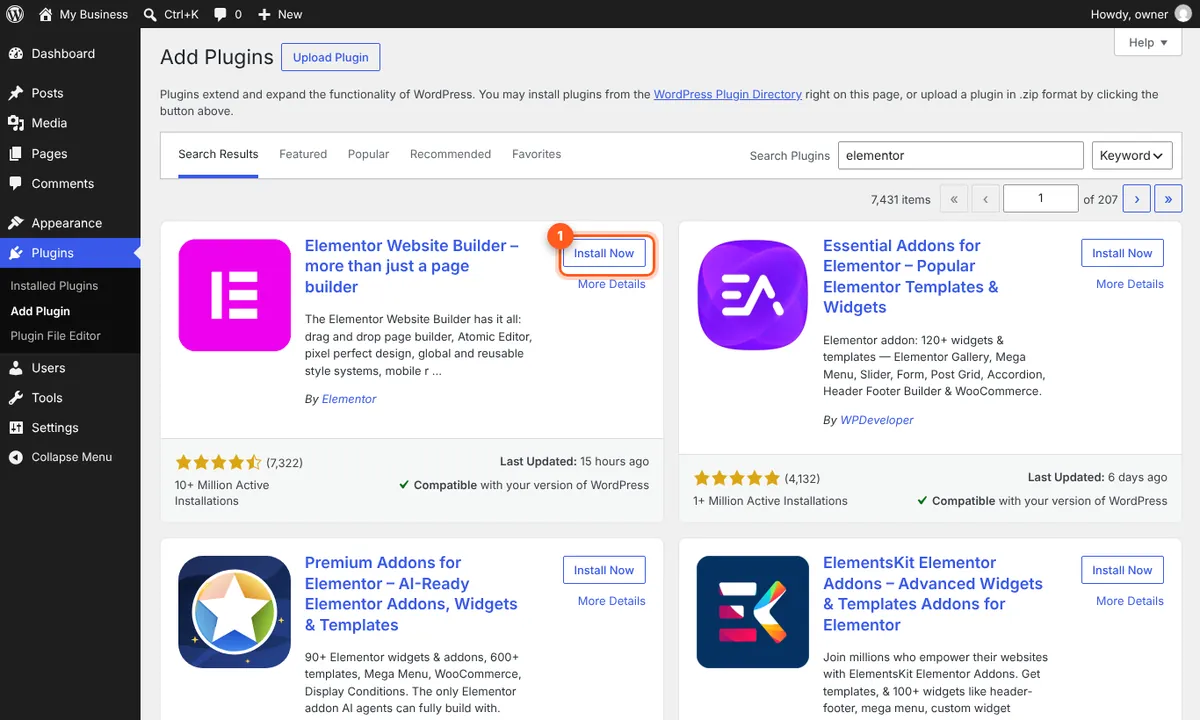
Go to Plugins, Add New Plugin, type Elementor in the search box and press Install Now on "Elementor Website Builder".
#2. Activate
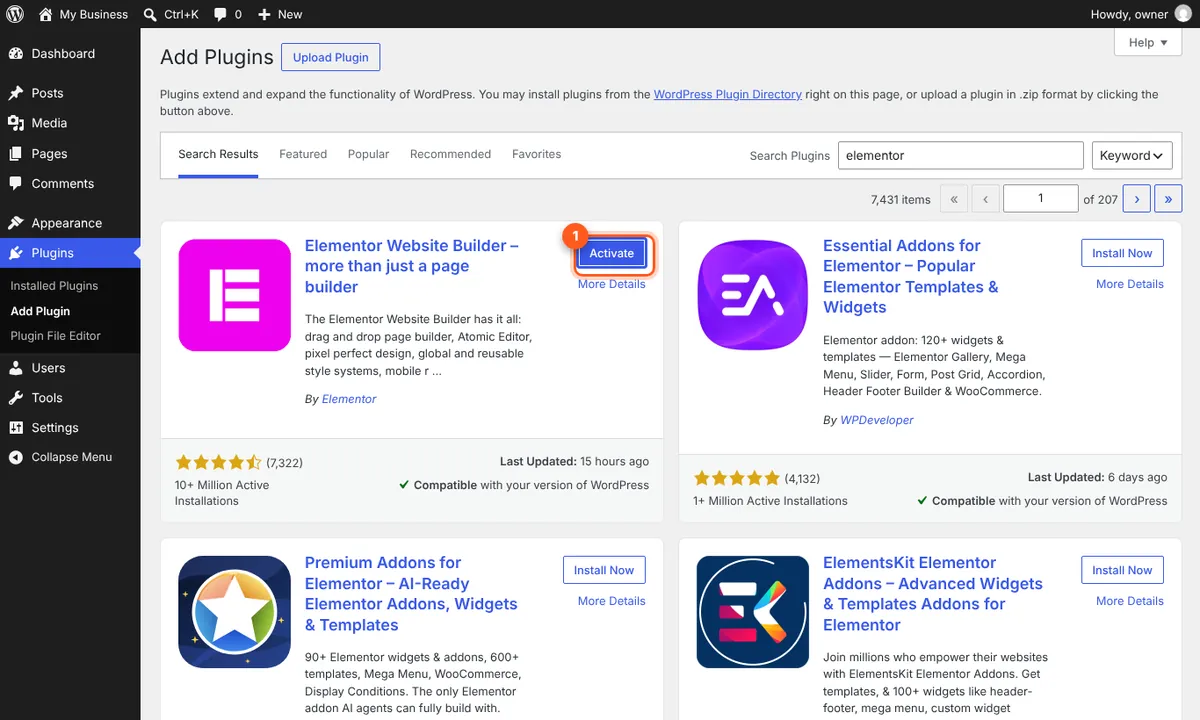
When the button changes, click Activate. Elementor may show a welcome screen; you can close it.
#3. Check it is active
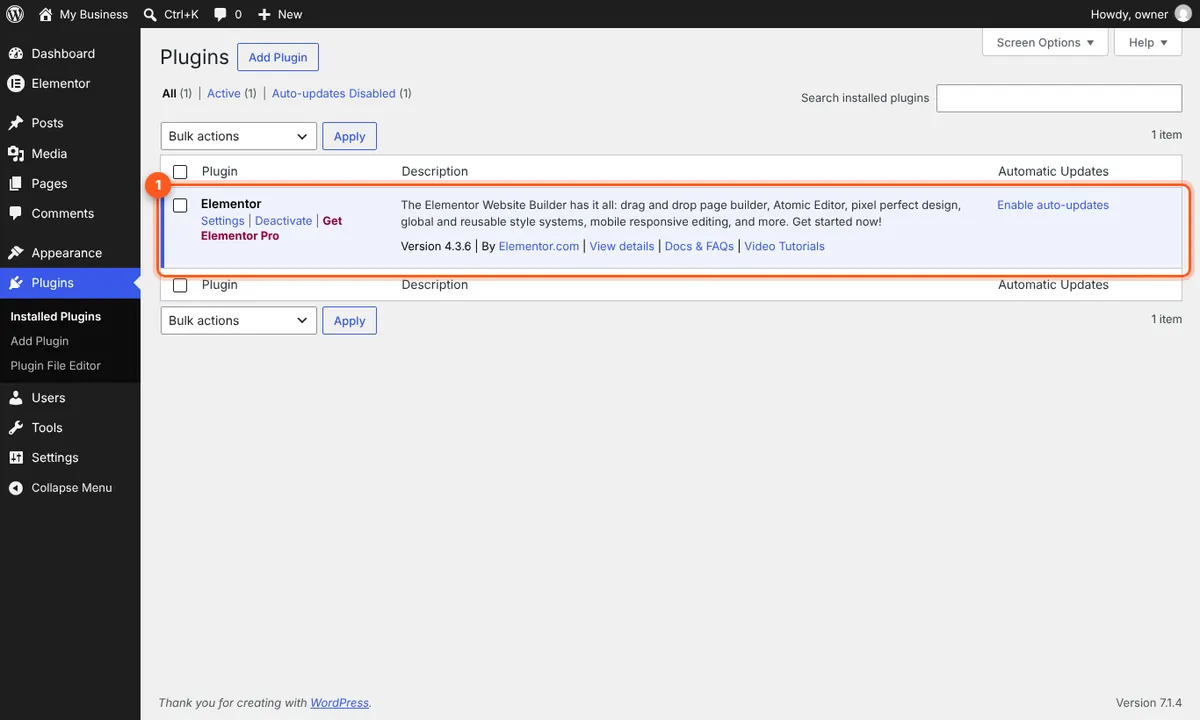
Note The free Elementor is enough for everything in these guides, including the Naara menu, logo and header-button widgets. Elementor Pro adds a Theme Builder that lets you replace the whole header and footer. Without Pro, you change the header and menu in Appearance, Naara Prestige (see Menu and header).








