Menu and header

Build dropdown menus, add descriptions and a mega panel, change the style, and use the phone menu.

10 minutes BeginnerYour website

Prestige has one menu engine used everywhere: the header, the phone drawer, the Elementor widget and the block editor block. You build the menu in WordPress as usual, and Prestige makes it premium.

#1. Open Appearance, Menus
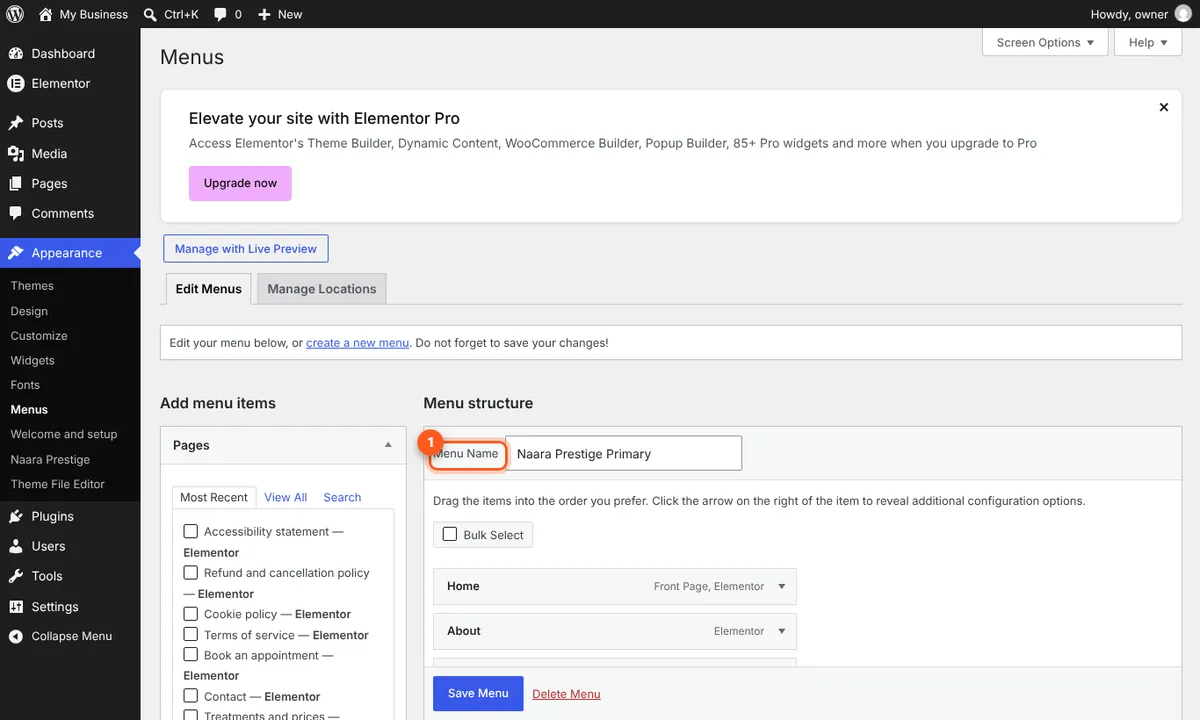
Appearance, Menus. 1: the menu name, 2: where it appears.

The setup in Set up Prestige already created a menu called Naara Prestige Primary and assigned it to Primary menu and Footer menu. To make one from scratch, type a name, tick Primary menu, and press Create Menu.

#2. Turn on Description and CSS Classes
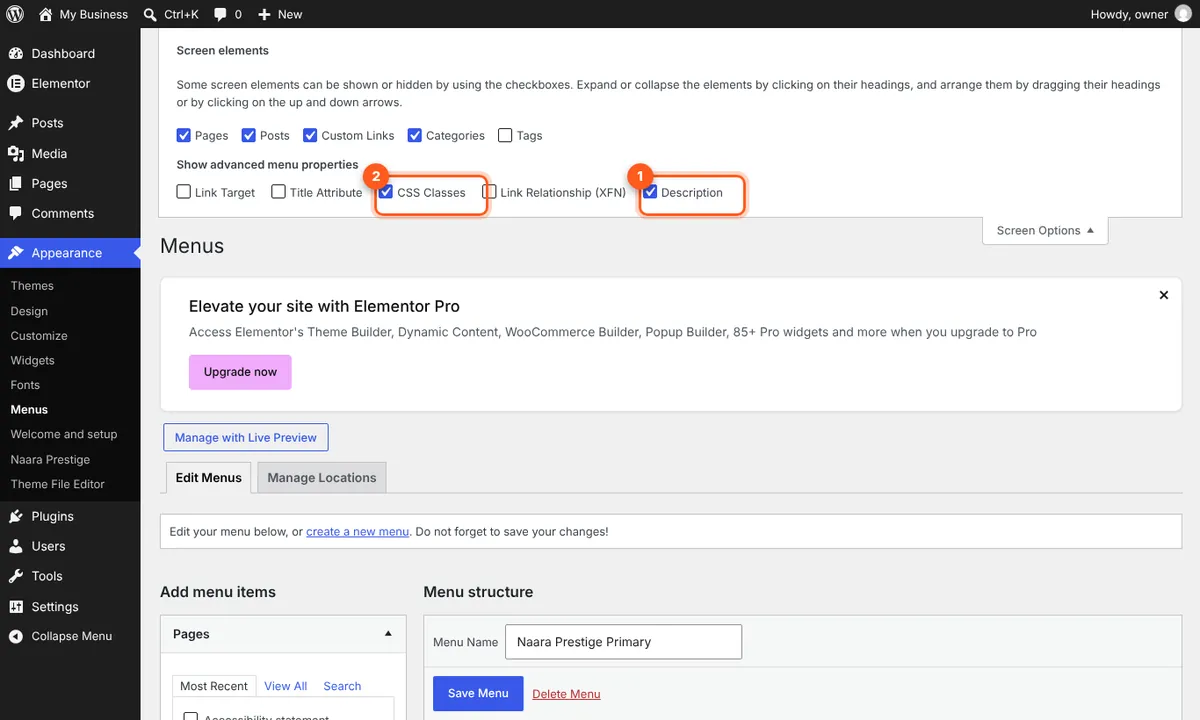
Screen Options. 1: Description, 2: CSS Classes.

At the top right press Screen Options, and tick CSS Classes and Description. These two extra boxes unlock the premium features.

#3. Make a dropdown

Drag a menu item slightly to the right under another. The one on the left is the parent, the one beneath it is its child. Prestige supports three levels.

#4. Add a description and a class
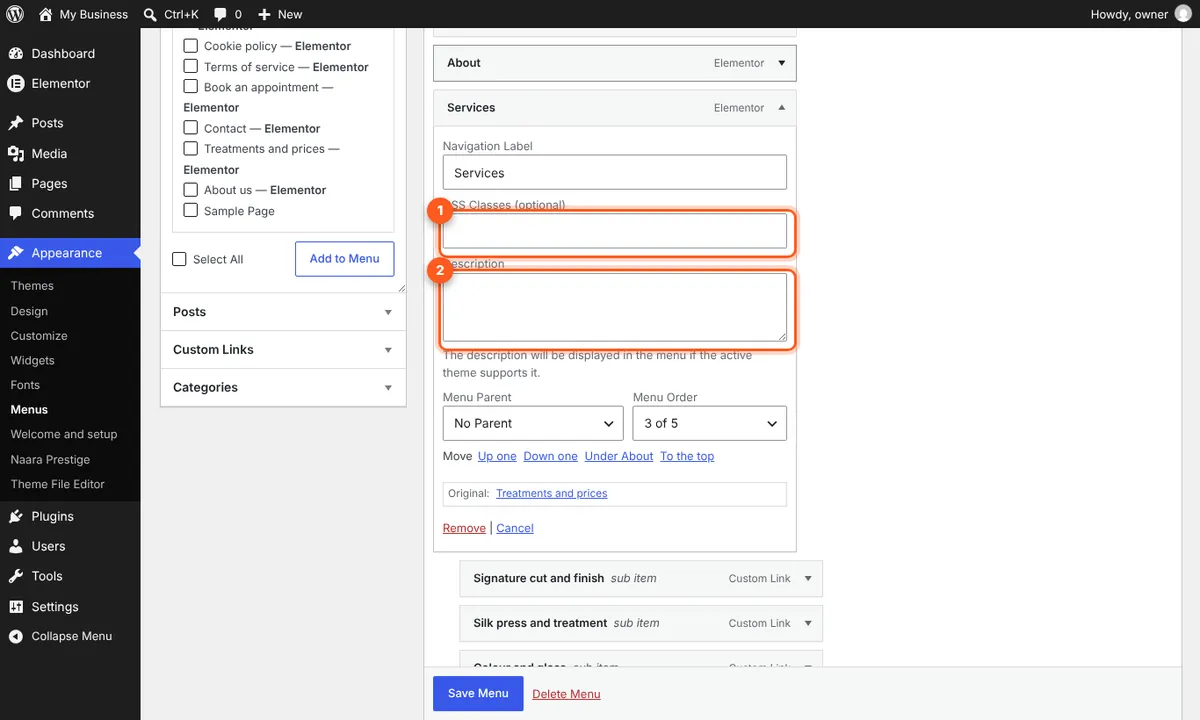
1: CSS Classes, 2: Description. Open an item with the small arrow on its right.

Open an item and use these two boxes:

Box You type What happens
Description A short sentence It appears in smaller text under that item inside the dropdown.
CSS Classes np-mega on a parent The dropdown becomes a wide multi-column panel.
CSS Classes np-cta That item is drawn as a button.

Press Save Menu.

#5. See it on your site
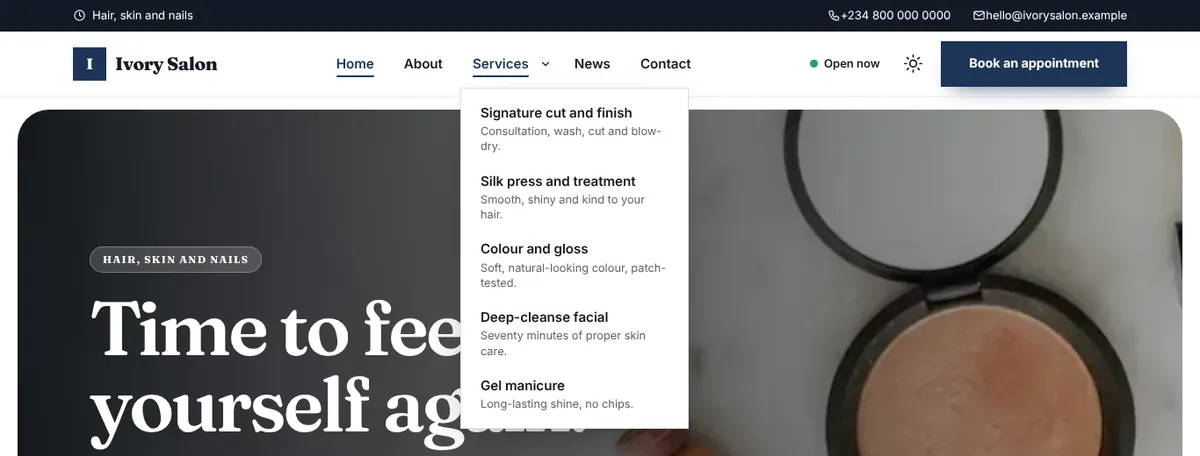
The dropdown on desktop. Hover or click Services.

The dropdown opens on hover and on click. It also works with the keyboard: Tab to the chevron, press Arrow Down to enter, Arrow Up and Down to move, and Esc to close.
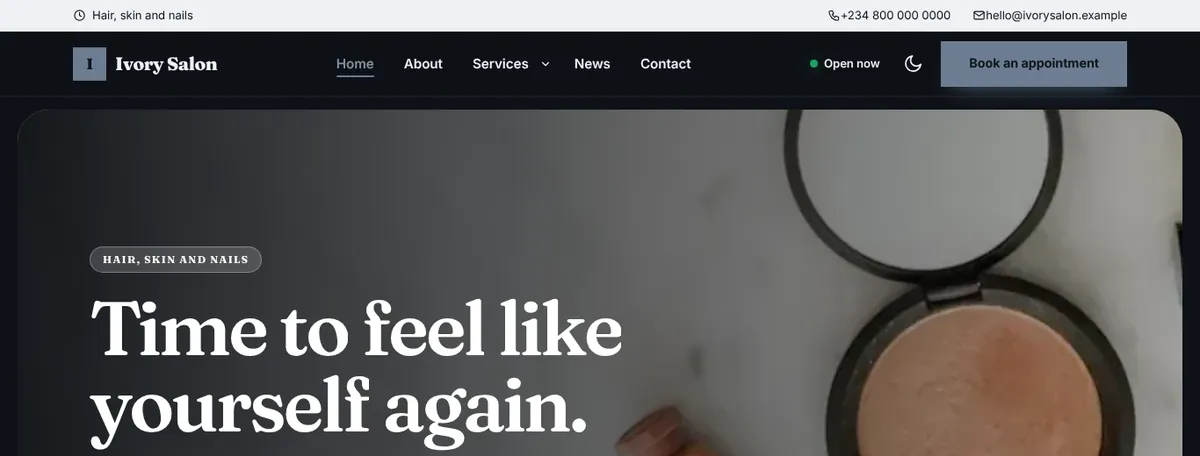
Dark mode. The menu, dropdown and the rest follow it.

#6. The phone menu

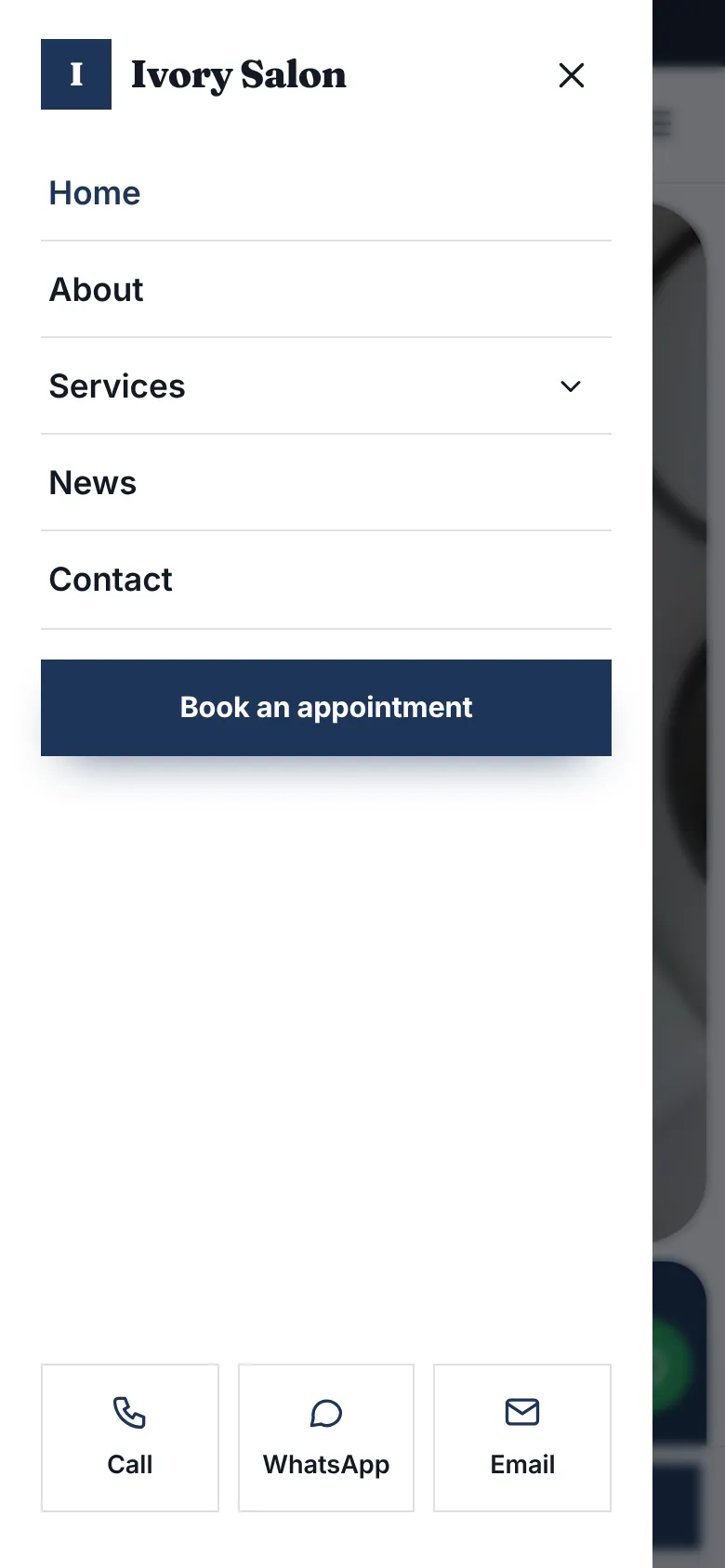
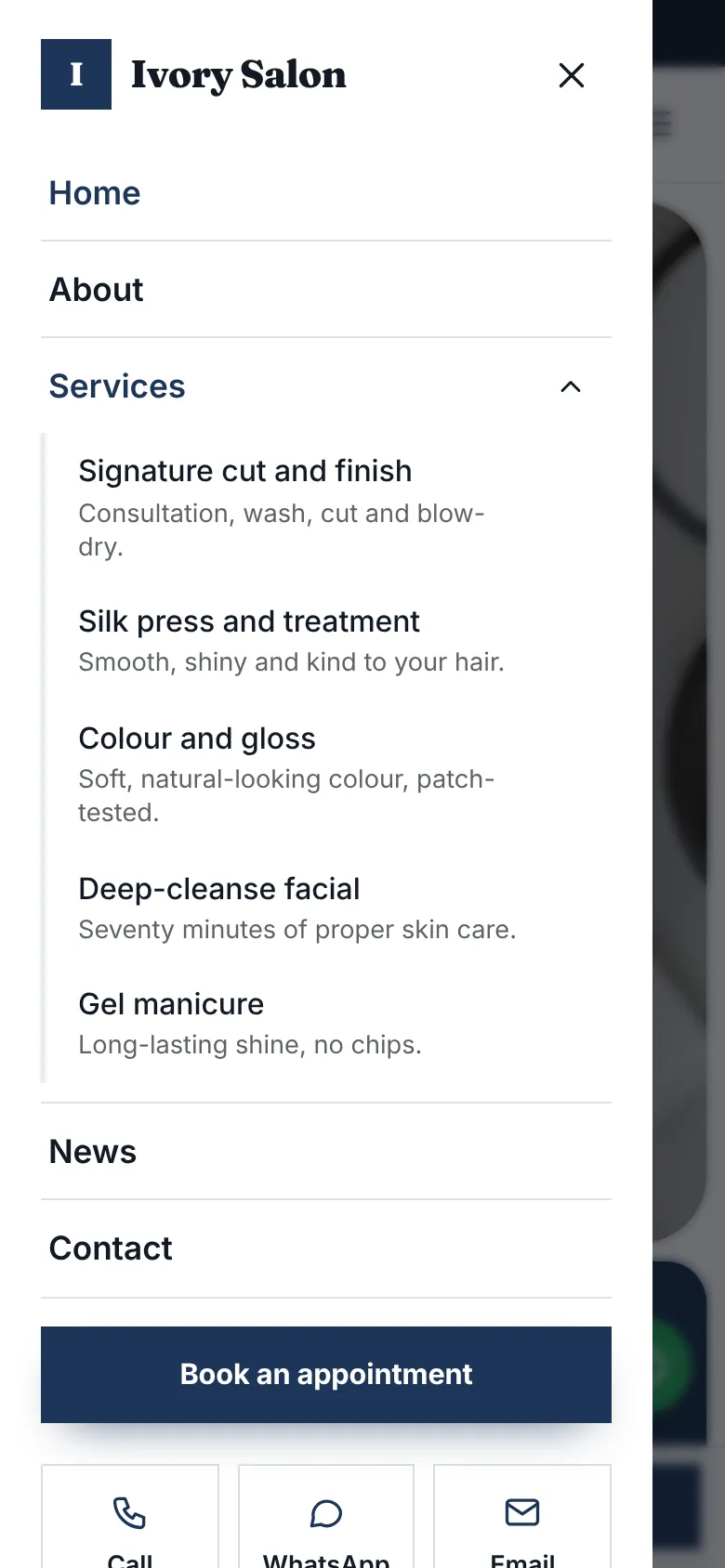
The phone drawer opens from the menu button, with big tap targets and Call, WhatsApp and Email shortcuts.

Dropdowns become accordions on a phone.

#7. Change the style

Open Appearance, Naara Prestige, find Menu and header (see the screenshot in Set up Prestige).

Setting Choices
Menu style Sliding underline, soft pill, small capitals, dot marker
Header layout Logo left with menu in the middle, or logo centred
Floating header A rounded bar that floats above the page
Hide on scroll down The header slides away as you read and returns when you scroll up

Each industry family starts with its own style, so two templates never share the same menu by accident.

To place a menu inside a page (for example a landing page with its own navigation), use the Naara menu in Elementor or the block editor.


Stuck? Open the Help Center from your Naara account and start a chat. Tell us the guide name and the step number. Help Center

From the Naara blog

All posts
Naara Pro & Business Broadcast Messages Done Right: Consent, STOP and What Channels Allow A broadcast can build loyalty or burn your reputation. Here is how Respond handles consent, opt-outs and the rules that differ between channels. Oct 16, 2026 Money, Wallet & Pricing Wallet Top-Ups and Gift Cards on Naara: Paying, Withdrawing and Staying in Control One wallet pays for everything. Here is how to top up, which payment methods you can expect, how to withdraw earnings and how gift cards fit in. Oct 15, 2026 Naara Chat & Community Naara Chat Tips: Gestures, Status Updates and Other Things You Might Have Missed A quick tour of the small features that make Naara Chat faster: swipe to reply, status updates with mentions, scheduled messages and more. Oct 14, 2026 NaaraCredits & Loyalty Earn NaaraCredits by Following Brands: How the Rewards Hunt Works Follow a brand's real social pages, earn credits you can spend on chat and calls, and know exactly how it is checked. Oct 13, 2026 Naara Chat & Community Voice and Video Calls on Naara: What Makes a Call Connect (and Why TURN Matters) Calls inside Naara are peer to peer when they can be and relayed when they must be. Here is what that means for call quality and what to check if a call will not connect. Oct 12, 2026 Developers & Integrations Build on Naara: API Keys, Signed Webhooks and Testing Safely How to connect your own tools to Naara: create a key, call the API, receive signed webhooks and verify them properly. Oct 11, 2026 Developers & Integrations Sell eSIMs on Your Own Website With Naara Widgets and the WordPress Plugin Embed a Naara catalogue on your site, let visitors check out on a hosted page, and track every order, with or without writing code. Oct 10, 2026 Naara Pro & Business Launch Your Own Connectivity Brand: How Naara White Label Works White Label lets an agency or entrepreneur run the Naara platform under its own name. Here is the path from landing page to your own live install. Oct 9, 2026 Travel Handbooks The Naara Travel Handbook Store: Long-Form Guides for People Who Move Across Borders Short blog posts cannot cover a visa, a degree or a first lease. The Handbook Store has book-length guides, with a reader that can read aloud. Oct 8, 2026