Bookings and calendar

Add services, team members and offers, put the booking form on a page, and manage bookings.

15 minutes BeginnerBusiness Suite and plugins

Everything in this guide is in the Naara menu in WordPress. It needs Naara Business installed and connected.

#1. Add your services
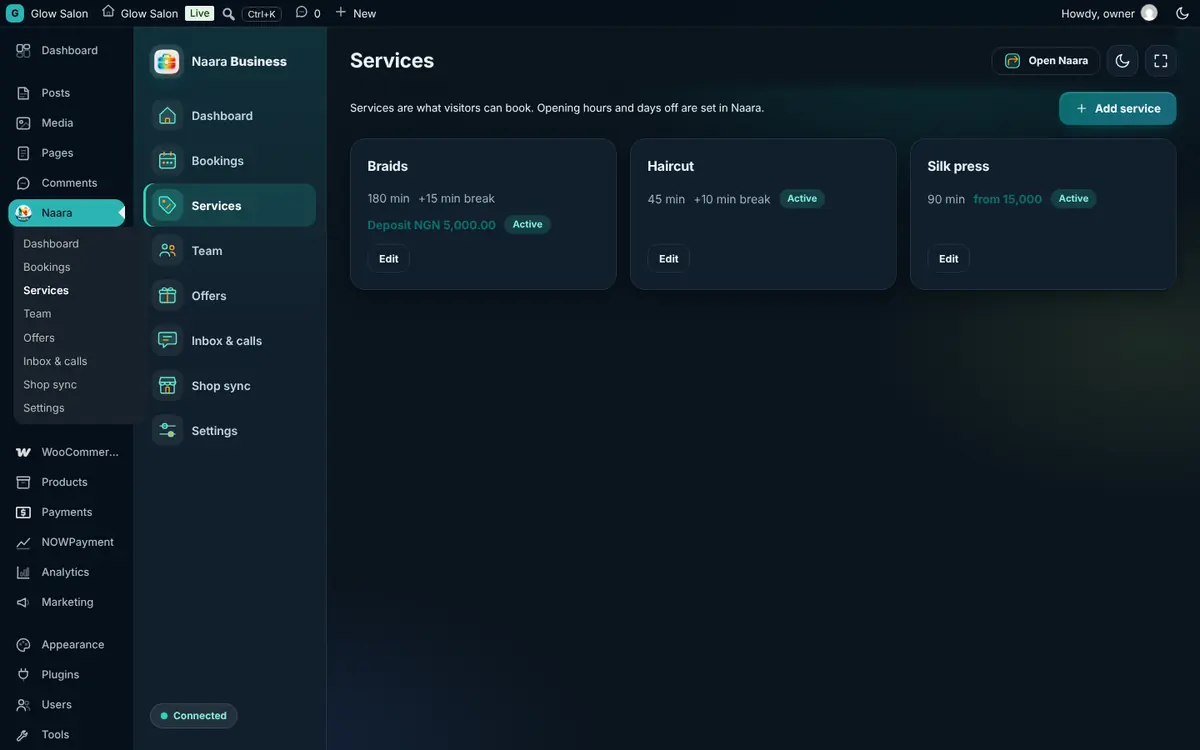
Services. Each service has a length, a buffer and an optional deposit.

Go to Naara, Services and press Add service. For each one set:

Field Meaning
Name What the customer sees ("Haircut")
Duration How long the appointment takes
Break after A buffer before the next customer
Price Shown to the customer
Deposit Optional. Taken to secure the slot and protect your time

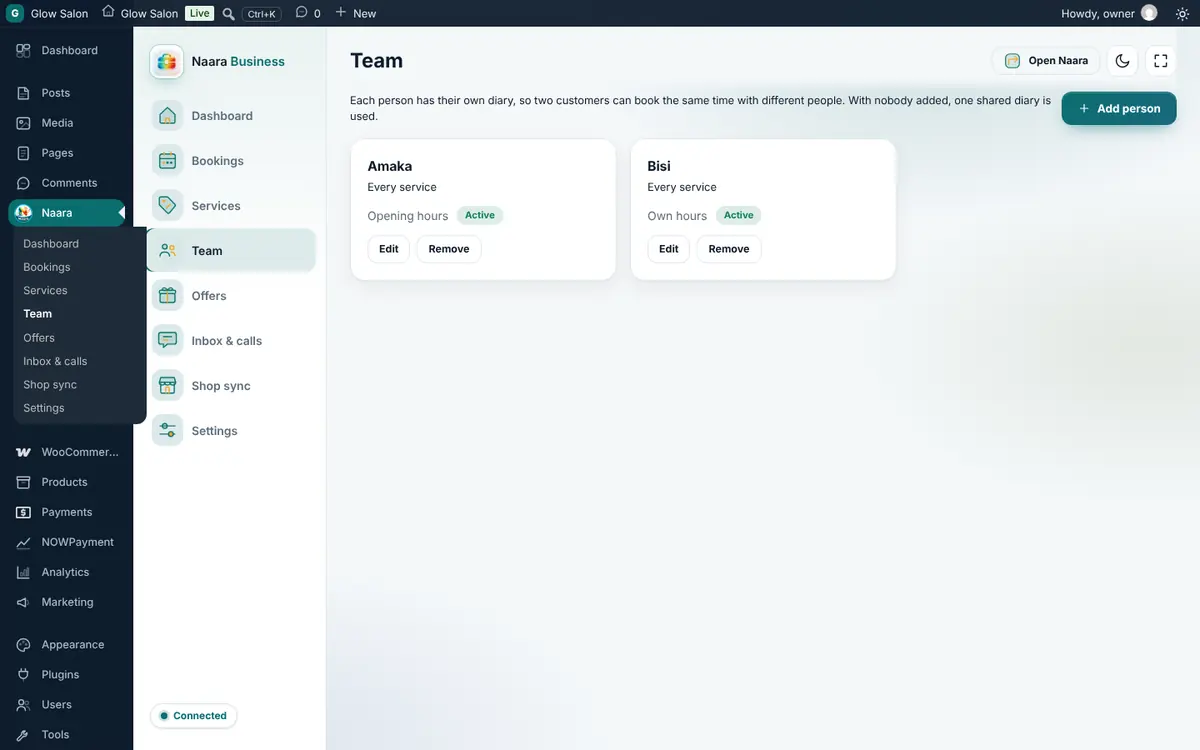
#2. Add your team

Team. Each person has their own diary.

Go to Naara, Team and press Add person. Each person has their own diary, so two customers can book the same time with different people. With nobody added, one shared diary is used. Choose which services each person offers and whether they follow the business hours or their own.

#3. Add offers
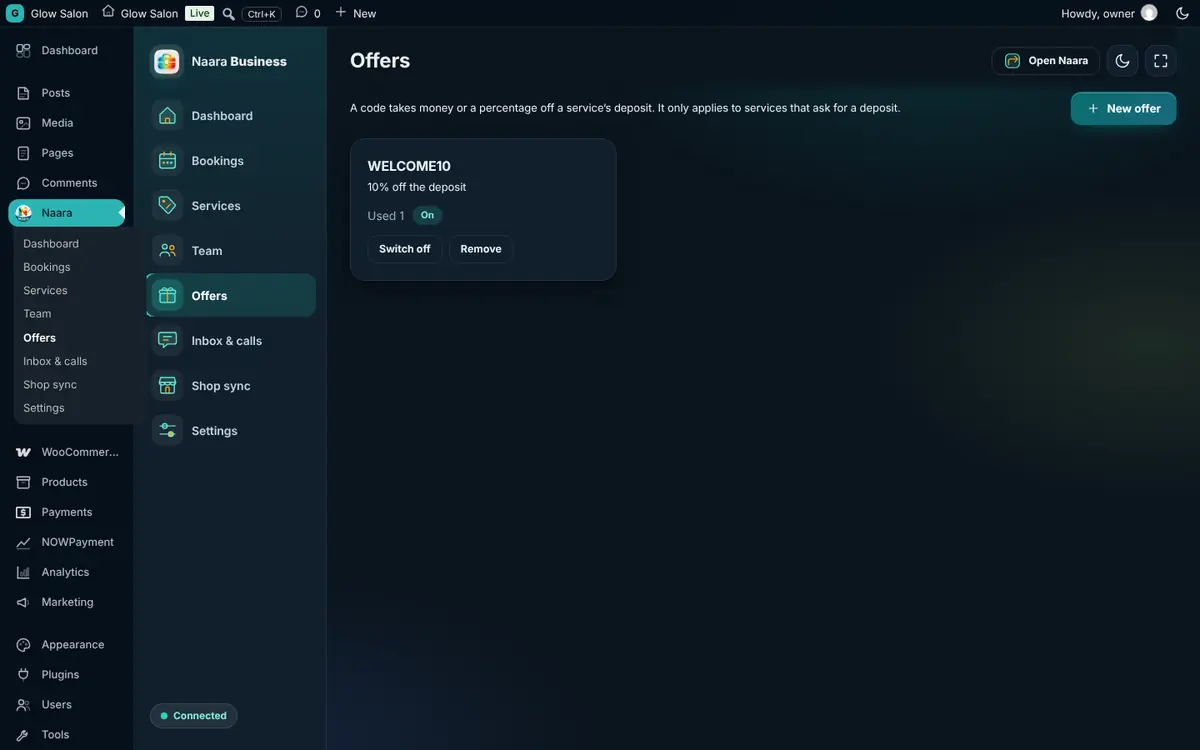
Offers. A code takes money or a percentage off a deposit.

Go to Naara, Offers and press New offer. A code takes a fixed amount or a percentage off a service's deposit. It only applies to services that ask for a deposit. You can switch an offer off without deleting it.

#4. Put the booking form on your site

If you use Prestige, your Book page already has the form. To put it on any other page:

  • Block editor: add the Naara booking form block (see Edit with blocks).
  • Anywhere: type the shortcode [naara_booking].

Two people can never take the same time: the calendar lives in Naara, not on your website.

#5. Watch the calendar fill
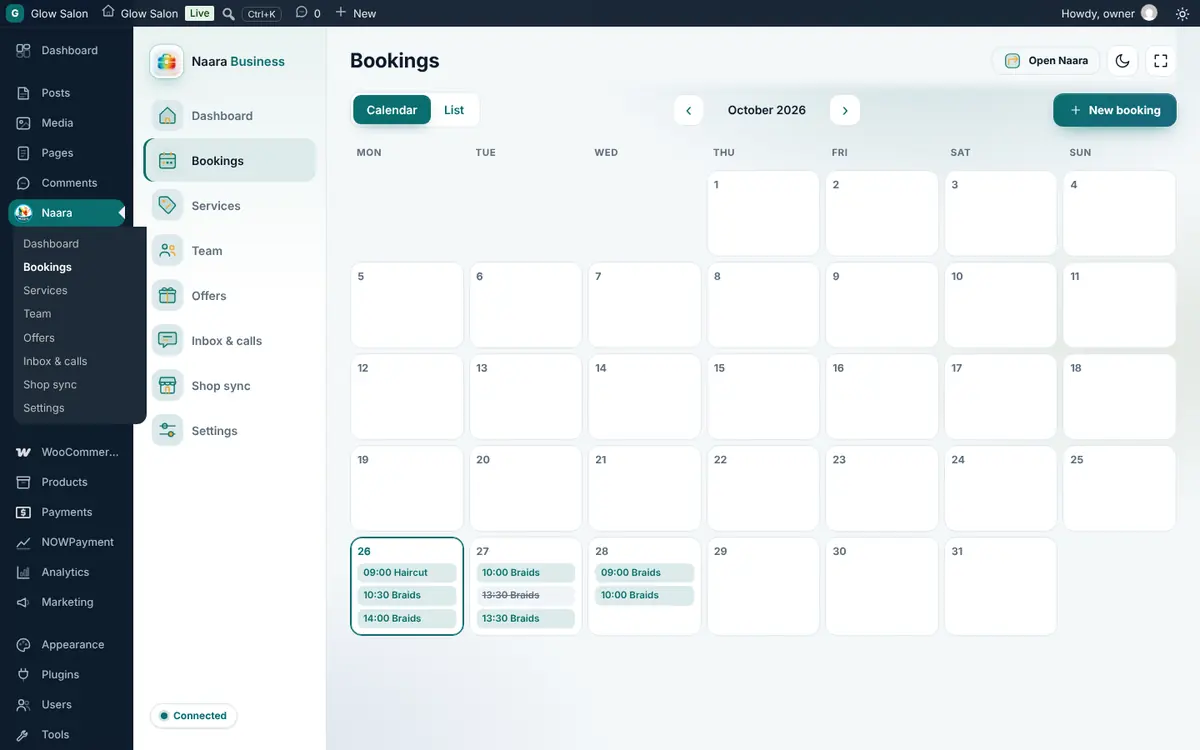
Bookings. Calendar and List views; Open Naara jumps to the full calendar.

Naara, Bookings shows a month calendar and a list. Press New booking to add one by hand, for example a customer who phoned. Open Naara jumps to the full calendar in your Business Suite, with opening hours, staff and the AI receptionist.
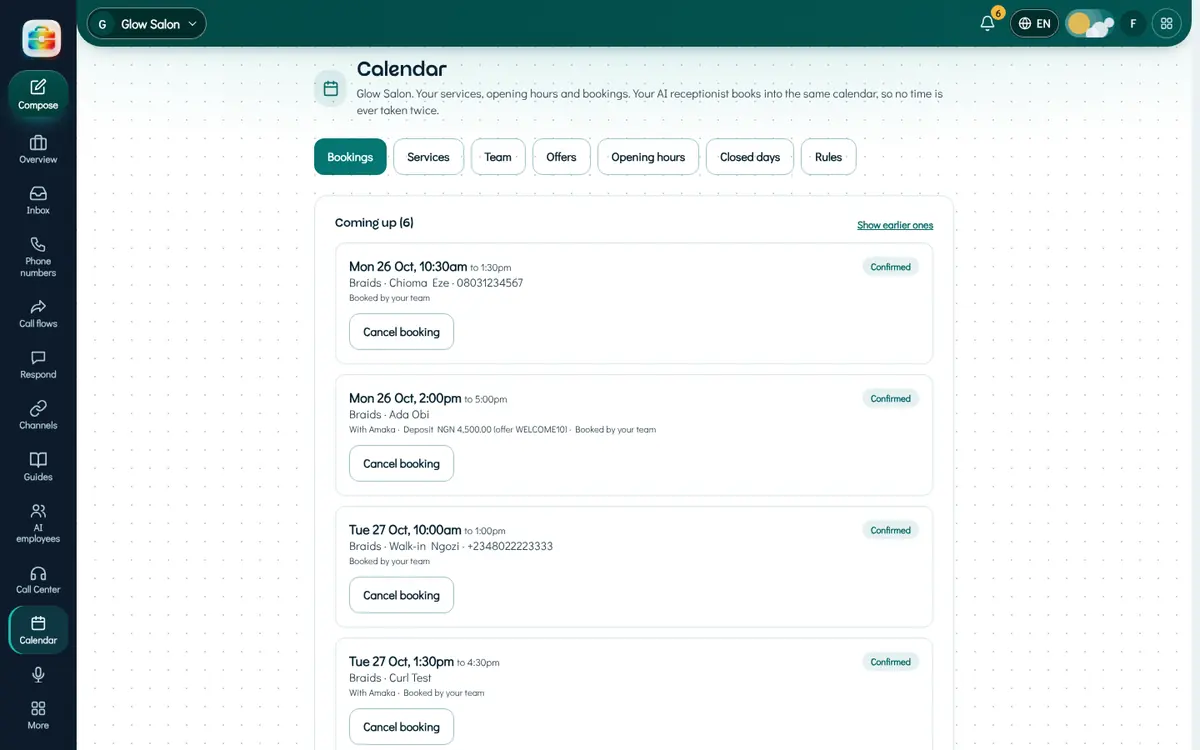
The same bookings in Naara's own calendar.

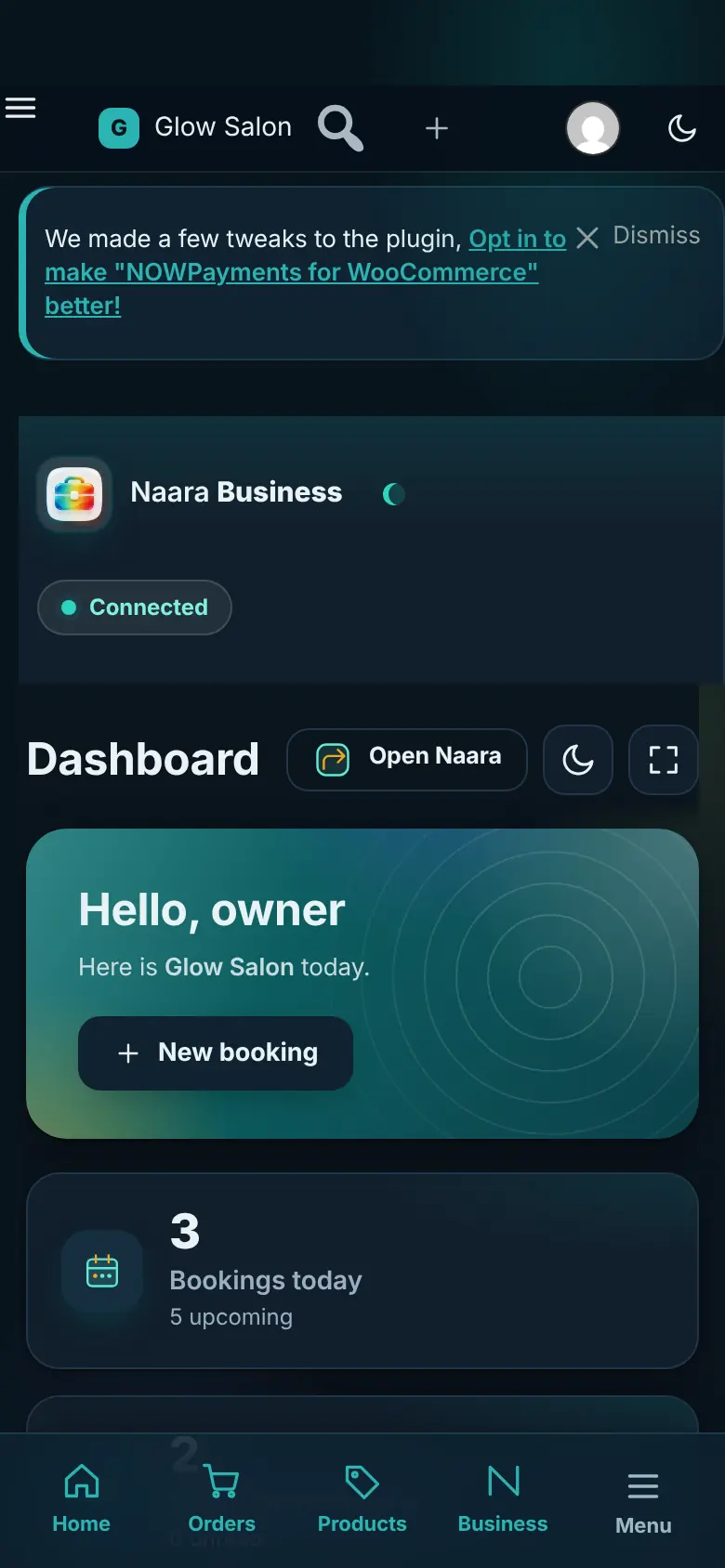
#6. Manage it from your phone

The Naara dashboard in WordPress is built phone-first.

#Reminders and emails

Customers get a confirmation. Reminders and thank-you messages run from Naara rather than from your website, so they do not depend on your hosting. Use Business, Guides in Naara for the step-by-step on setting them up.


#Next

Add website chat.

Stuck? Open the Help Center from your Naara account and start a chat. Tell us the guide name and the step number. Help Center

From the Naara blog

All posts
Naara Pro & Business Broadcast Messages Done Right: Consent, STOP and What Channels Allow A broadcast can build loyalty or burn your reputation. Here is how Respond handles consent, opt-outs and the rules that differ between channels. Oct 16, 2026 Money, Wallet & Pricing Wallet Top-Ups and Gift Cards on Naara: Paying, Withdrawing and Staying in Control One wallet pays for everything. Here is how to top up, which payment methods you can expect, how to withdraw earnings and how gift cards fit in. Oct 15, 2026 Naara Chat & Community Naara Chat Tips: Gestures, Status Updates and Other Things You Might Have Missed A quick tour of the small features that make Naara Chat faster: swipe to reply, status updates with mentions, scheduled messages and more. Oct 14, 2026 NaaraCredits & Loyalty Earn NaaraCredits by Following Brands: How the Rewards Hunt Works Follow a brand's real social pages, earn credits you can spend on chat and calls, and know exactly how it is checked. Oct 13, 2026 Naara Chat & Community Voice and Video Calls on Naara: What Makes a Call Connect (and Why TURN Matters) Calls inside Naara are peer to peer when they can be and relayed when they must be. Here is what that means for call quality and what to check if a call will not connect. Oct 12, 2026 Developers & Integrations Build on Naara: API Keys, Signed Webhooks and Testing Safely How to connect your own tools to Naara: create a key, call the API, receive signed webhooks and verify them properly. Oct 11, 2026 Developers & Integrations Sell eSIMs on Your Own Website With Naara Widgets and the WordPress Plugin Embed a Naara catalogue on your site, let visitors check out on a hosted page, and track every order, with or without writing code. Oct 10, 2026 Naara Pro & Business Launch Your Own Connectivity Brand: How Naara White Label Works White Label lets an agency or entrepreneur run the Naara platform under its own name. Here is the path from landing page to your own live install. Oct 9, 2026 Travel Handbooks The Naara Travel Handbook Store: Long-Form Guides for People Who Move Across Borders Short blog posts cannot cover a visa, a degree or a first lease. The Handbook Store has book-length guides, with a reader that can read aloud. Oct 8, 2026