



Activate your white-label licence
Enter your licence key, see what unlocks, and keep your install healthy.
When you buy a white-label licence you land on See your licence. It shows your Activation credentials: the platform address and your licence key, masked, with a password-gated reveal. Your install uses the key to unlock features.
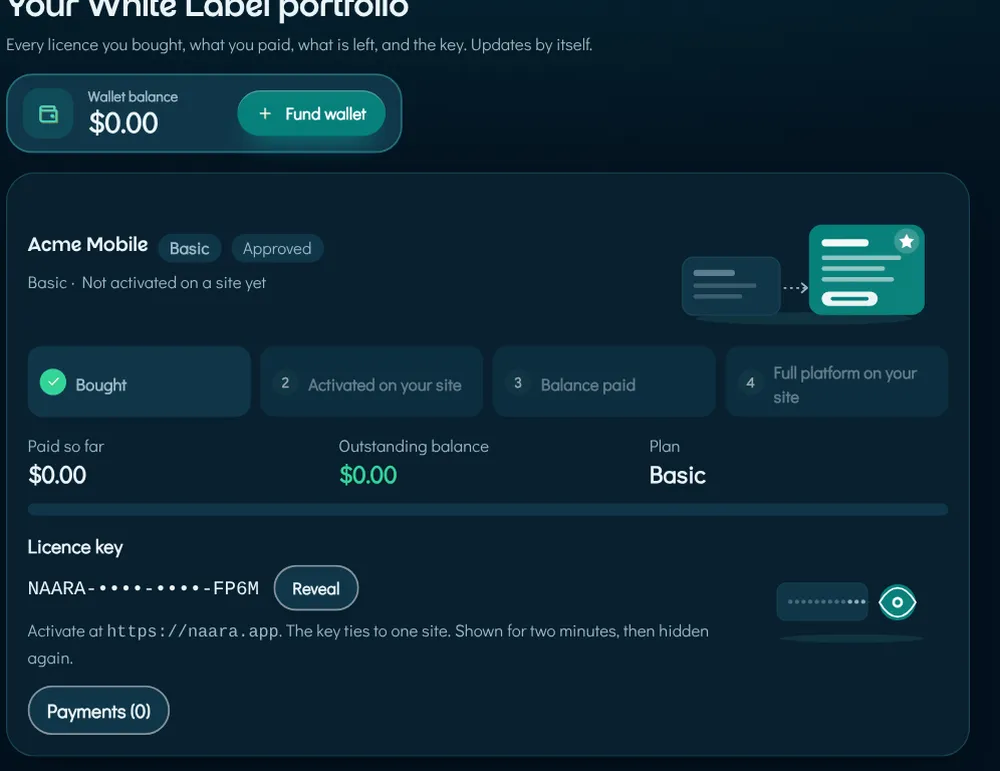
#1. Find your key and the platform address
Open Account > White Label on the platform where you bought it. Your portfolio shows the licence, what you paid, and the licence key (hidden until you press Reveal and re-enter your password) with the platform address to activate at.
#2. Open Licence activation
Sign in to your install's admin and open Licence activation (the White Label Activation screen). Before activation, features that need a licence show as locked.
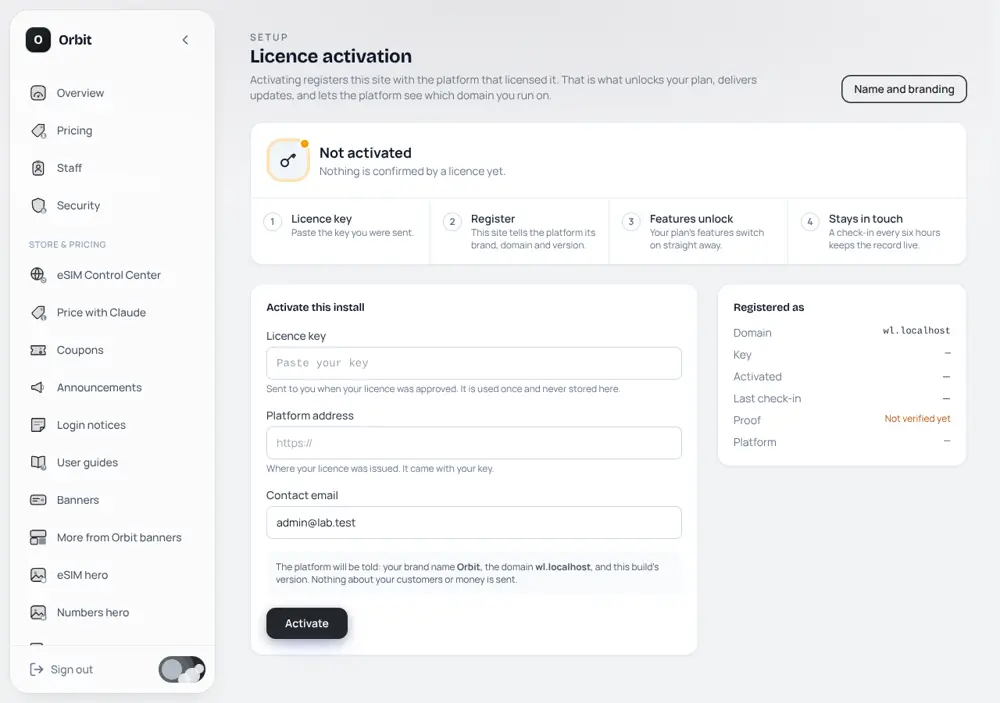
#3. Enter the key
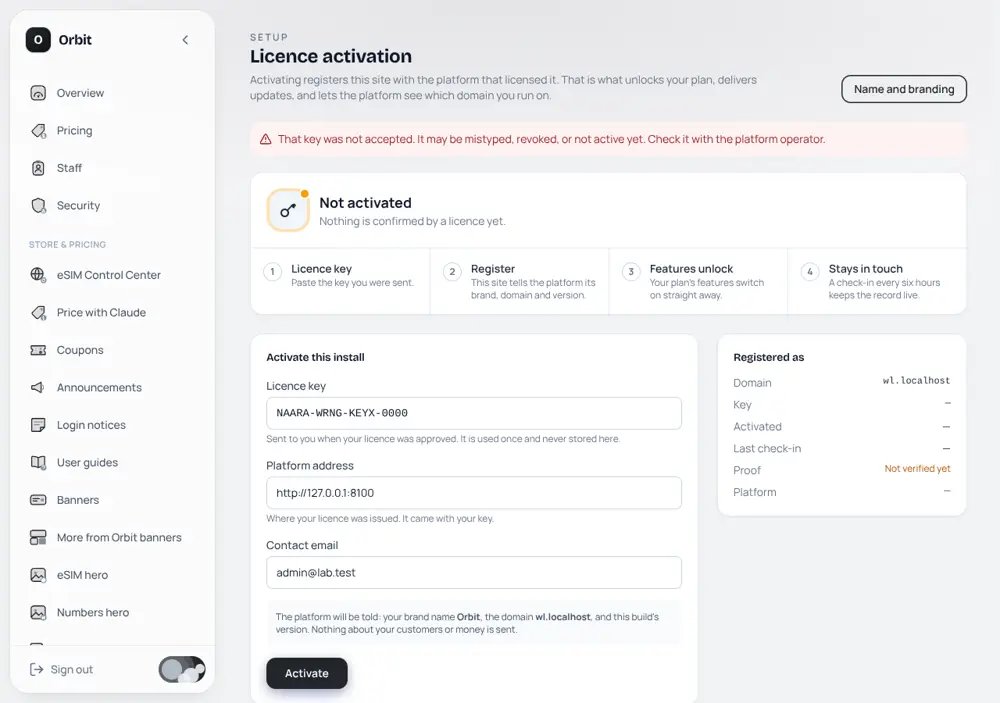
Paste the licence key and the platform address from step 1, and press Activate. Your install tells the platform its domain and its own install id, so the licence is tied to this one install. A wrong or mistyped key is refused with a clear message, and nothing changes.
#4. See what your plan unlocks
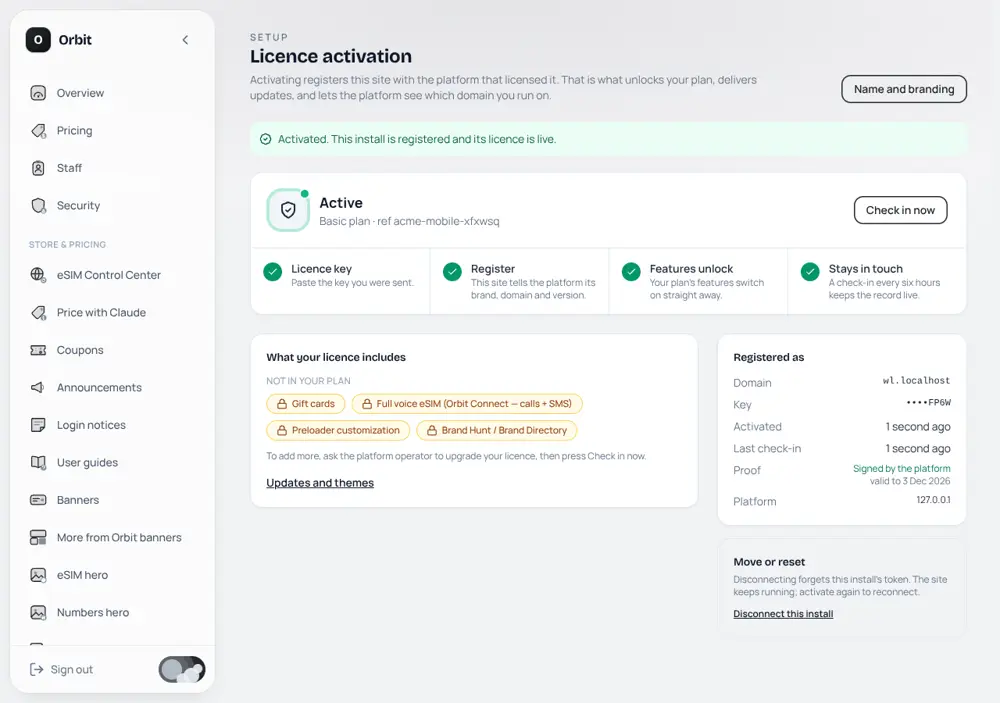
Your tier decides which features open. The Basic tier lists what stays locked; a paid upgrade opens the rest.
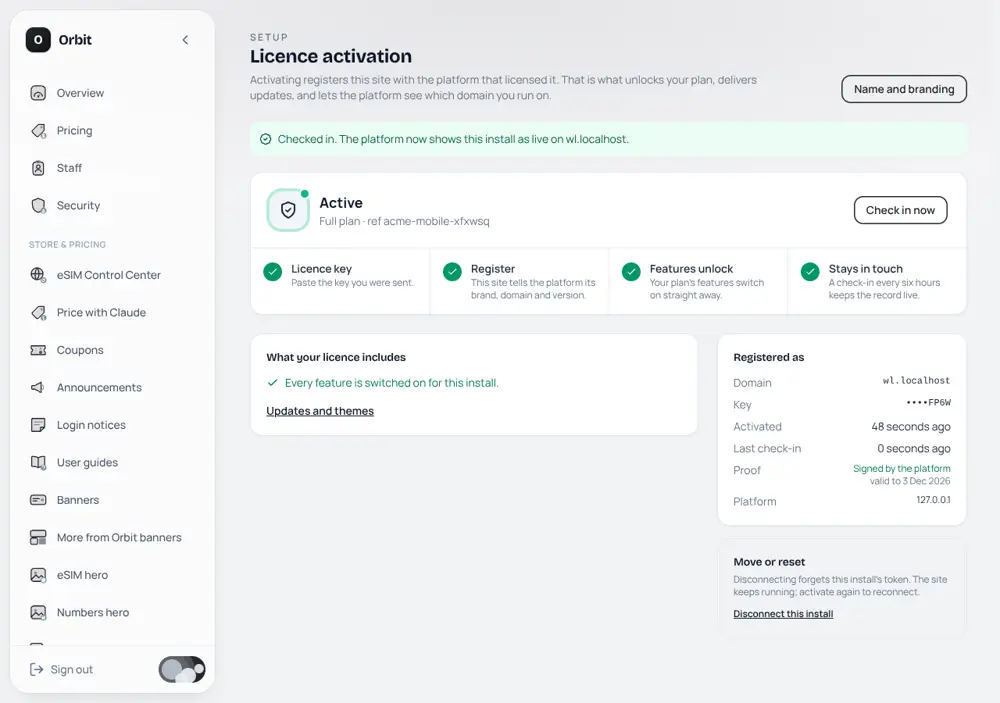
Changes arrive within the hour, or at once: the platform sends your install a signal when your licence changes, and the hourly check-in catches up if the signal cannot reach you.
#5. Keep it healthy
- The install checks in hourly through the scheduler, so the cron line from Cron and queue must be running.
- One licence key belongs to one domain and one install. A copy on another domain or a cloned database is refused.
php artisan whitelabel:doctortells you in one minute whether the cron, the queue, the public key and the check-in are all fine.- If a key is lost, ask the platform owner to issue a new one.








