



Website chat
Put a chat bubble on every page of your site. Messages land in your Naara inbox next to WhatsApp, Instagram, Telegram and SMS.
The Naara Respond Chat plugin adds a chat bubble to your site. The bubble loads from your Naara address. The plugin stores only your Naara address and your chat's public site key: no secrets and no visitor data on your WordPress server.
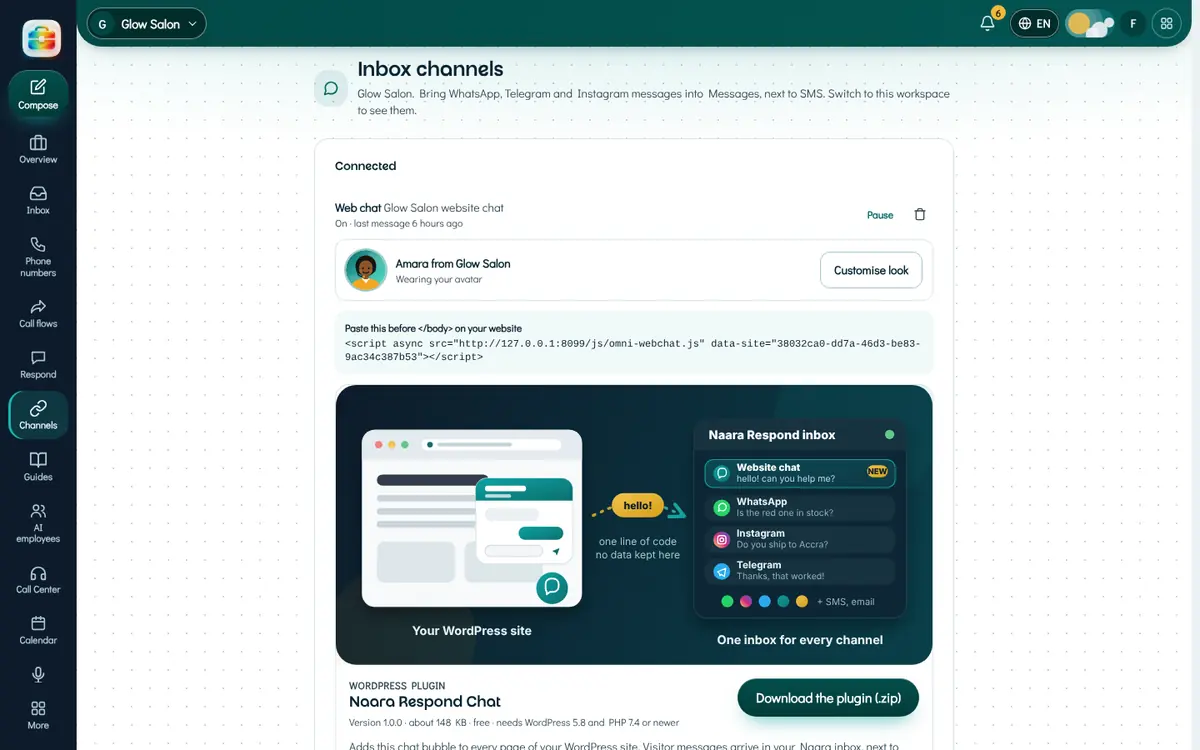
#1. Download it from Naara
In Naara open Business, Channels, Website chat, and press Download WordPress plugin. It arrives already set up with your address and key.
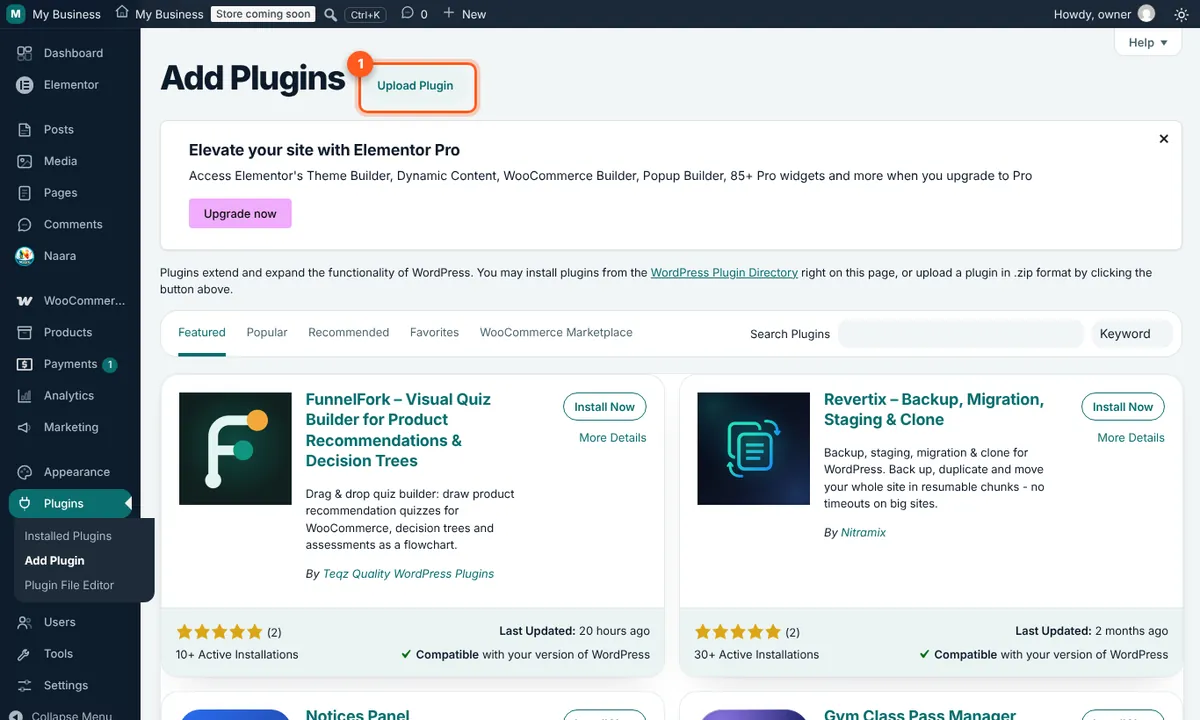
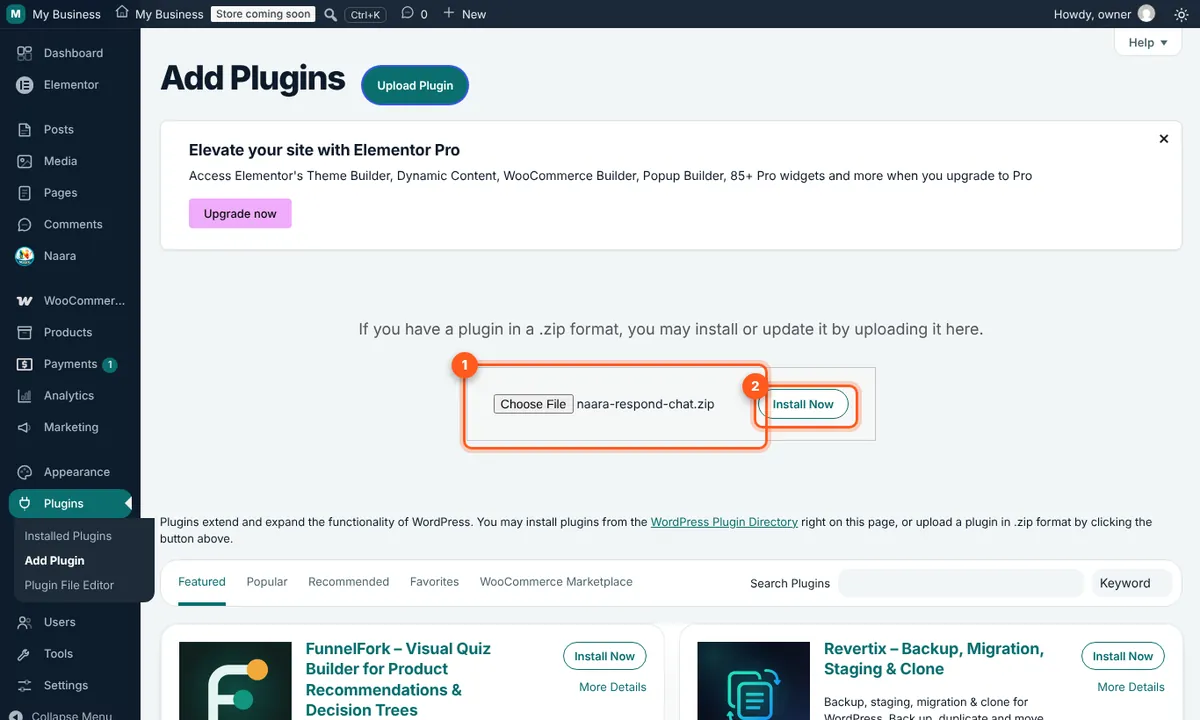
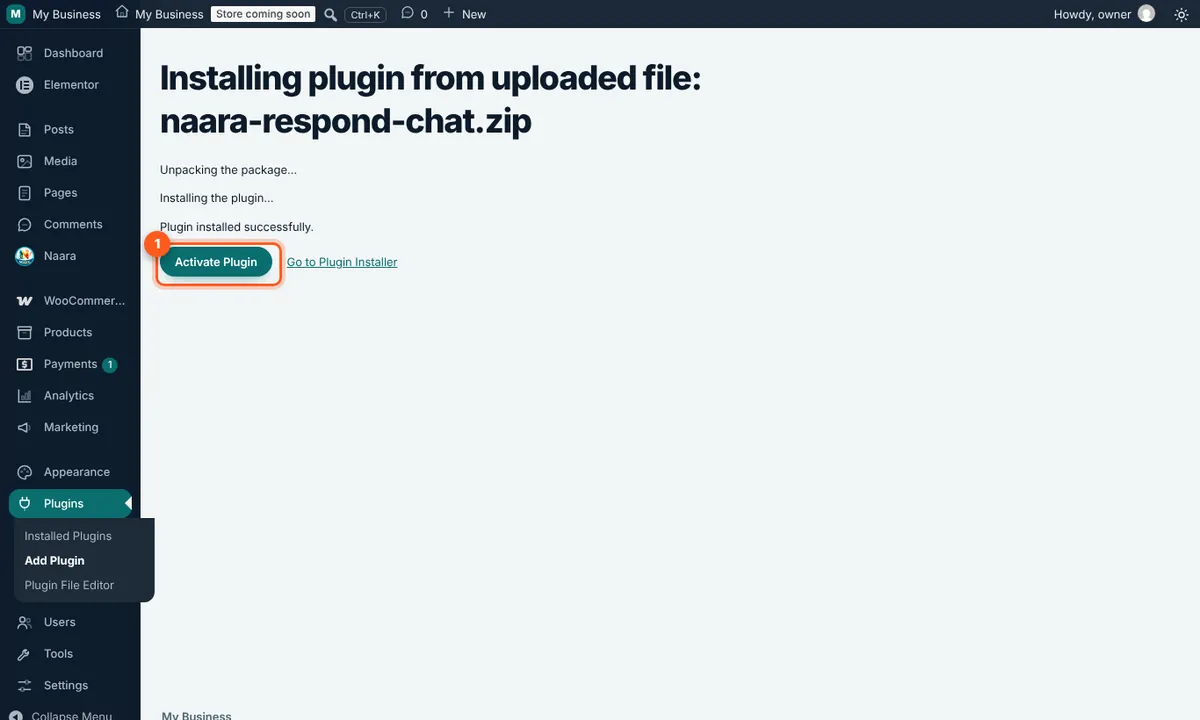
#2. Upload and activate
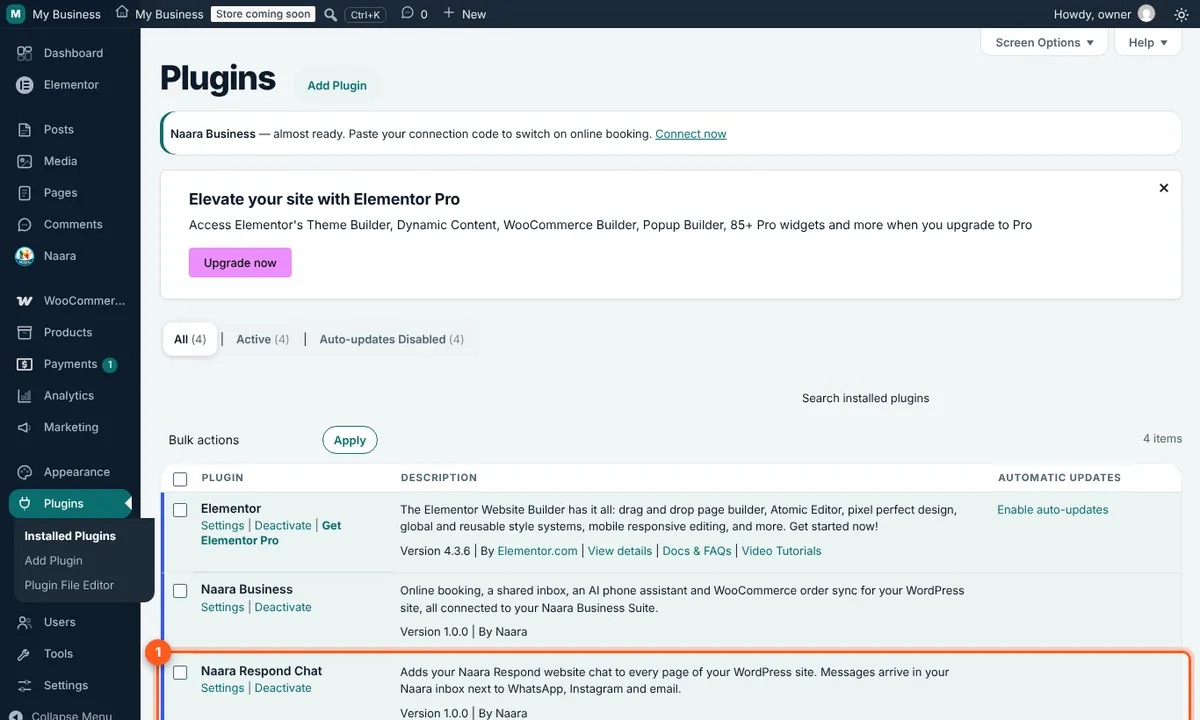
#3. Allow your website address
Back in Naara, Channels, Website chat, make sure your WordPress site address (for example https://yourdomain.com) is in the allowed websites list. Chat only runs on addresses you allow.
#4. Check the settings
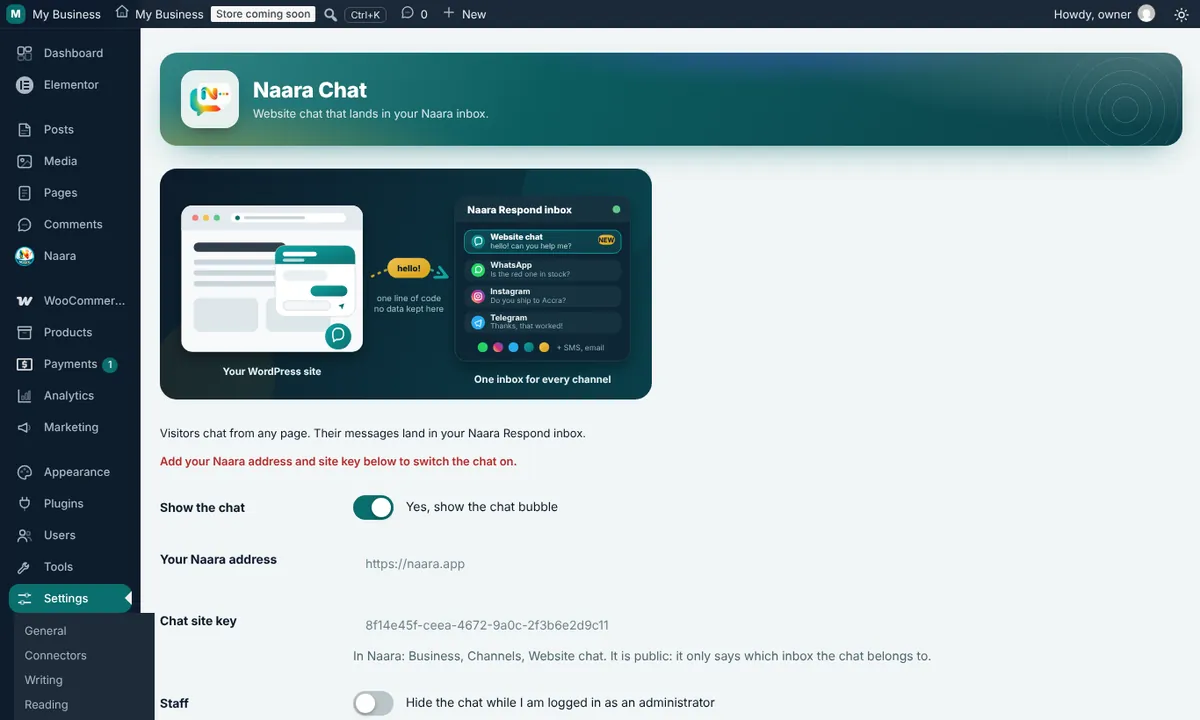
In WordPress open Settings, Naara Chat. You can switch the bubble off, and hide it from yourself while you are logged in as an administrator, so you are not chatting with your own test messages.
#5. Reply from the inbox
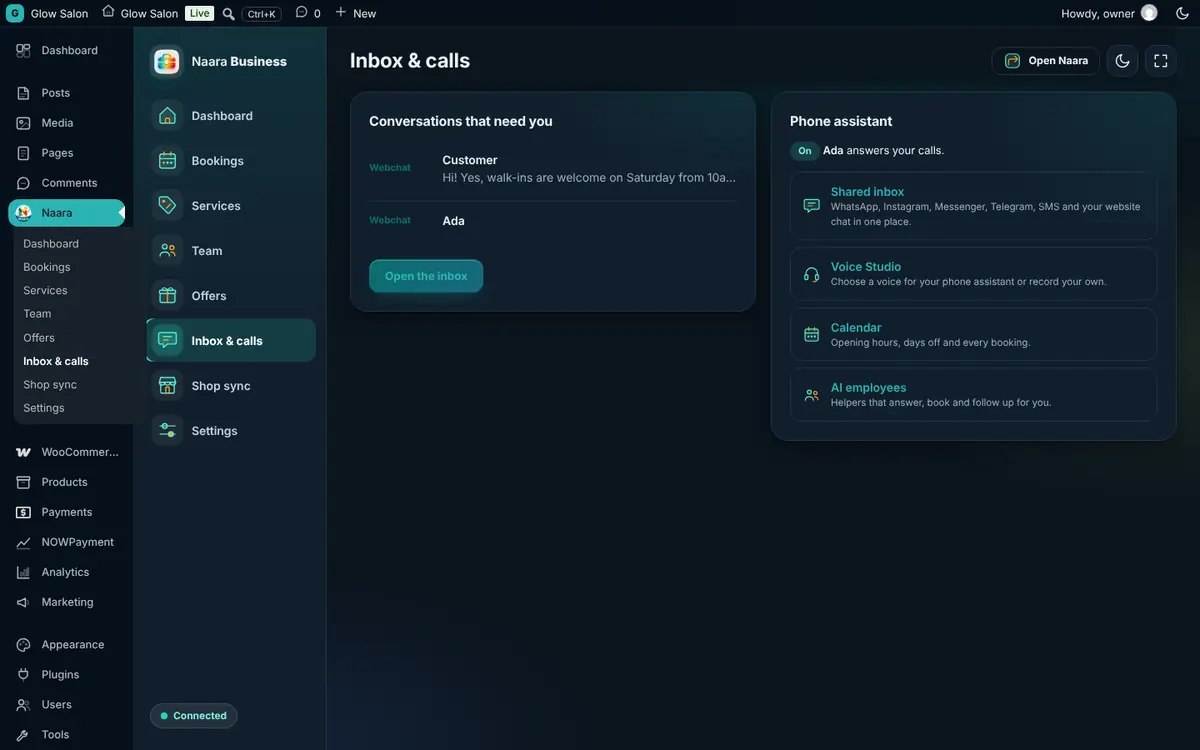
Visit your site: the bubble is there. Send a test message. It lands in the Inbox in Naara, next to your other channels. Replies go back to the visitor's chat.








