


The Business Suite Shared Inbox: One Place for Your Whole Team to Answer Customers
October 4, 2026 · Supreme Admin
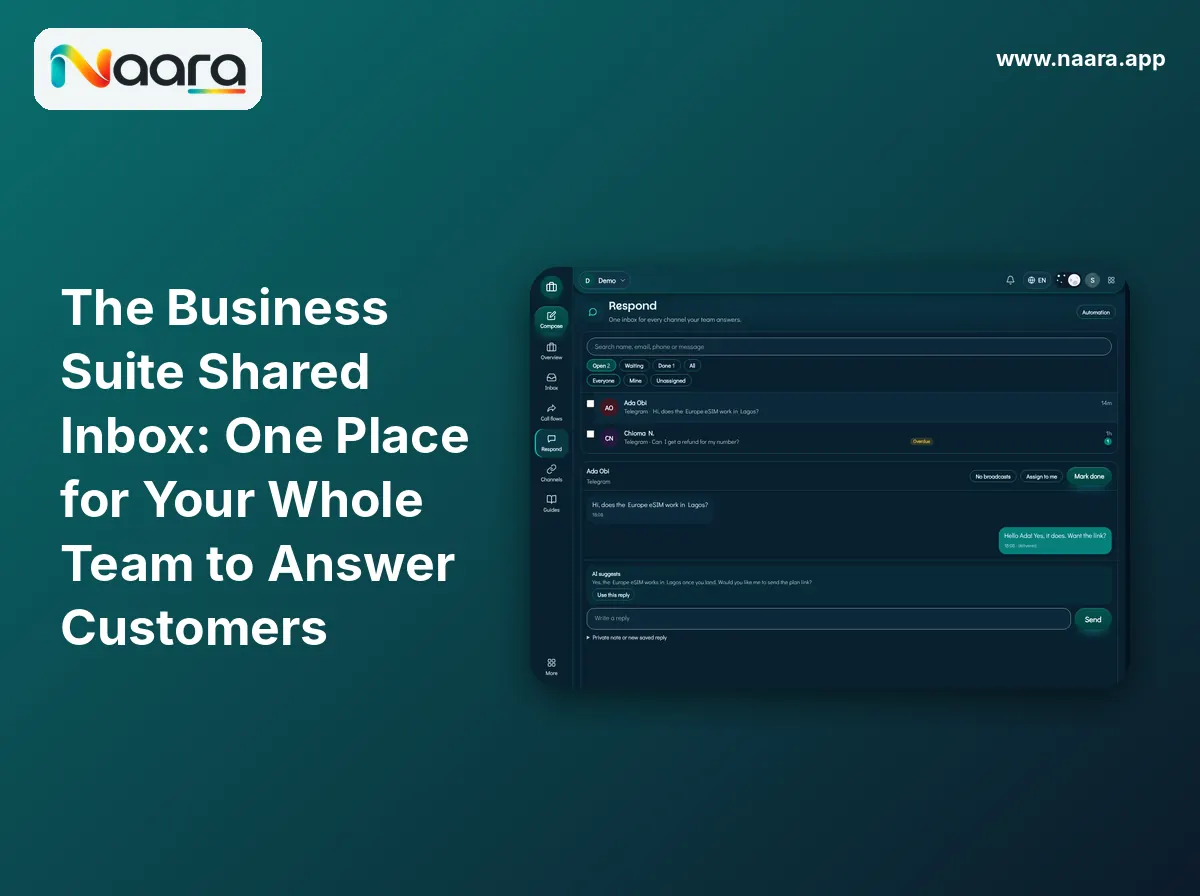
Stop forwarding screenshots between teammates. A shared inbox, roles and a clear owner for every conversation keep small teams fast and calm.
Small teams do not usually fail at support because they do not care. They fail because the conversation lives on one person's phone.
What the Business Suite gives a team
- A **workspace** with one shared wallet and seats for your people.
- **Roles**: owner, admin, agent and viewer, so everyone sees only what they need.
- A **shared inbox** where messages from your channels land in one list.
- **Call flows** for menus, ring groups, business hours and voicemail.
- **Recording** with a clear notice for every caller, plus review and deletion under your own retention rules.
- An **AI voice assistant** that can answer a number, take a callback request and hand over to a person.
- **Integrations**: a workspace API key and signed webhooks.
Why roles matter
Agents answer customers. Admins connect channels and change settings. Viewers watch without changing anything. The owner holds the plan. Only owners and admins can connect channels or open the automation settings, so a new agent cannot break your setup by accident.
A conversation always has an owner
Open conversations, waiting ones and finished ones are separate lists. You can assign a conversation to yourself, filter to **Mine** or **Unassigned**, and tick several to finish or take them together. A yellow **Overdue** tag appears if a customer has waited more than fifteen minutes.
Notes and saved replies
Leave a private note on a conversation for your team. Save the replies you send every day, and insert them with one tap.
Start small
Create the workspace, connect one channel, invite one teammate. The **Setup guide** on the overview page remembers where you stopped and tells you what each step enables.
Questions people ask
**Can two people answer the same customer by accident?** Assigning a conversation to yourself marks it as yours. Filter to Unassigned to pick up what nobody owns yet, so work is not duplicated.
**Do viewers see everything?** Viewers can read what the role allows but cannot reply or change settings. Roles are checked on the server, not just hidden in the screen.
**What if a teammate leaves?** Remove them from Team. Their seat is freed at once, and their conversations can be reassigned to someone else.
Keep reading
-
 Naara Pro & Business
Broadcast Messages Done Right: Consent, STOP and What Channels Allow
A broadcast can build loyalty or burn your reputation. Here is how Respond handles consent, opt-outs and the r...
2 min read
-
 Naara Pro & Business
Launch Your Own Connectivity Brand: How Naara White Label Works
White Label lets an agency or entrepreneur run the Naara platform under its own name. Here is the path from la...
2 min read
-
 Naara Pro & Business
AI Replies You Can Trust: Why Respond Only Answers From Your Own FAQ
The risky thing about AI support is a confident wrong answer. Here is how Respond keeps its assistant grounded...
3 min read
-
 Naara Pro & Business
Set Up Your Naara Business Workspace in Ten Minutes
The Setup Guide walks you through profile, channels, your AI helper and team, one small step at a time, and re...
2 min read
-
 Naara Pro & Business
Naara Respond: One Inbox for Telegram, Web Chat and Email
Respond brings your customers' messages from Telegram, your website chat and email into one inbox, with a know...
3 min read
-
 Naara Pro & Business
Naara Pro for Brands: What You Actually Get, Plain and Simple
Naara Pro is one package: a verified brand listing, Naara Chat, handbooks, the Business Suite and perks. Here...
2 min read
Keep reading
-
Naara Pro & Business
Broadcast Messages Done Right: Consent, STOP and What Channels Allow
A broadcast can build loyalty or burn your reputation. Here is how Respond handles consent, opt-outs and the r...
2 min read
-
Naara Pro & Business
Launch Your Own Connectivity Brand: How Naara White Label Works
White Label lets an agency or entrepreneur run the Naara platform under its own name. Here is the path from la...
2 min read
-
Naara Pro & Business
AI Replies You Can Trust: Why Respond Only Answers From Your Own FAQ
The risky thing about AI support is a confident wrong answer. Here is how Respond keeps its assistant grounded...
3 min read
-
Naara Pro & Business
Set Up Your Naara Business Workspace in Ten Minutes
The Setup Guide walks you through profile, channels, your AI helper and team, one small step at a time, and re...
2 min read
-
Naara Pro & Business
Naara Respond: One Inbox for Telegram, Web Chat and Email
Respond brings your customers' messages from Telegram, your website chat and email into one inbox, with a know...
3 min read
-
Naara Pro & Business
Naara Pro for Brands: What You Actually Get, Plain and Simple
Naara Pro is one package: a verified brand listing, Naara Chat, handbooks, the Business Suite and perks. Here...
2 min read